Spent AU$50 picking up some bits and pieces during AliExpress’s latest sale.
AliExpress Shopping
Reply

Spent AU$50 picking up some bits and pieces during AliExpress’s latest sale.
Man my chromium browser has been giving me a lot of grief lately. Two times so far I needed to reboot to fix the problem. This is the third time and rebooting is always such a hassle. :(
-------------------
Thu Nov 23 20:20:54 [bash:5.2.15 jobs:0 error:0 time:0]
jj5@charisma:/home/jj5
$ chromium
[1123/202056.945777:ERROR:elf_dynamic_array_reader.h(64)] tag not found
[1123/202056.945823:ERROR:elf_dynamic_array_reader.h(64)] tag not found
Trace/breakpoint trap (core dumped)
-------------------
I got an email from one of the marketing people from PCBWay who said they could offer me free PCB printing services in exchange for a review of their service on my blog. I am very happy to do that!
Today I signed up for an account over here: https://www.pcbway.com/Member/Login/
The signup process was extremely painless: email address, password, terms of service, privacy policy, done.
(Note: I am not a lawyer, but I did read the ToS and privacy policy, and basically they claim the rights to your design files for various purposes and might transfer your data over an insecure network. I think these services are fine for hobbyists dealing with open hardware, but if you’re a commercial entity dealing with higher value intellectual property or larger volumes you might like to get legal advice before engaging.)
After logging in I got an email confirmation code emailed to me. I updated my account settings including my basic information and contact information so they know where to ship my PCBs. In exchange for my having filled out my full profile they gave me US$35 worth of vouchers with various terms (e.g. minimum spend).
I then used their shared project service to search for a 555 timer circuit that would meet my requirements. I found this one: Educational 555 Board.
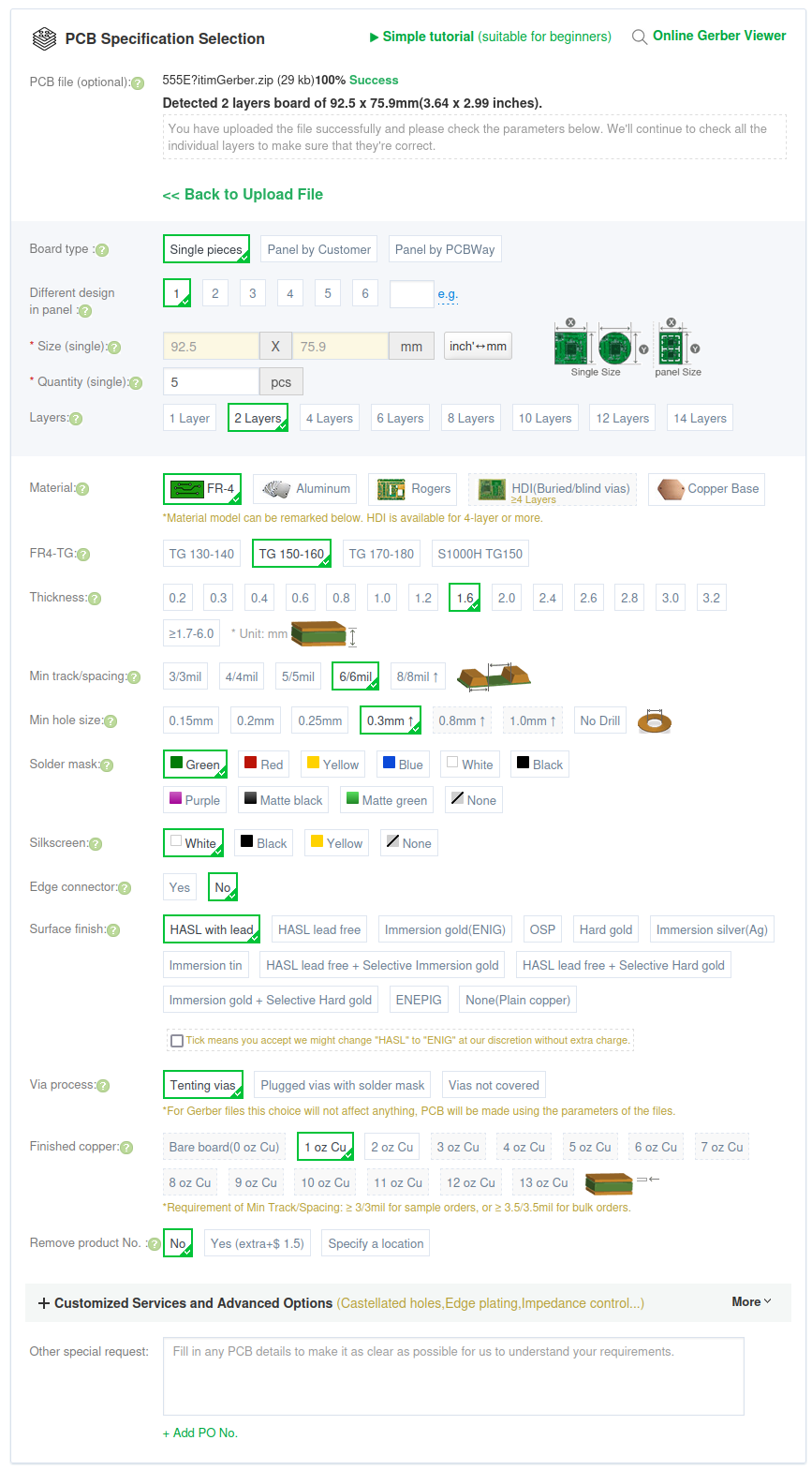
I clicked “Add to cart” and accepted all the defaults (shown below) on my order for 5 PCBs. So far I am a happy customer! (Update: as part of our sponsorship deal PCBWay covered the shipping costs too! I was a bit worried they might ask me to cover the shipping, but they included it, which was super excellent, especially as the shipping was about five times as much as the boards themselves!)
I’m just getting started with PCB printing. I expect that in future I will do much more of it. I have been working my way through PCB design with KiCad – updated for KiCad 7 to learn how to design PCBs using KiCad. Apparently there is a PCBWay Plug-In for KiCad, so that might be something worth checking out.
When my PCBs from PCBWay arrive I will make a video of me putting together the 555 timer circuit and then using it to test my IC test probes. Stay tuned for that one!
Man I was just browsing some old code and found myself over here: https://www.progclub.org/pcrepo/pccipher/trunk/php/src/pccipher_blowfish_64.php.
I committed that code in 2012, that’s 11 years and 4 months ago. Wow. Seems like yesterday. How time flies!
Today I discovered Intel Processors and Chipsets by Code Name while I was reading about Cascade Lake which was released back in 2019.
Ordered myself a new motherboard today, the ASUS ProArt B550-CREATOR. This new board will replace my ASUS PRIME B550M-A in my new/upgraded computer ‘lore‘ (which is replacing ‘longing‘).
This new board has 2x M.2 PCIe 4.0 (as with the old motherboard), 2x 2.5Gbps Ethernet (compared to 1x 1Gbps Ethernet in my old motherboard), and 3x PCIe 16x slots (compared to 1x PCIe 16x slot in my old motherboard).
I will put in 2x M.2 PCIe 4x adapters and 2x M.2 PCIe 1x adapters which will mean I am able to install 6x M.2 drives: 2x Kioxia 256GB, 2x Samsung 990 Pro 2TB, and 2x PNY 1TB.
I will also put in a quad 2.5Gbps PCIe Ethernet adapter which will give me six 2.5Gbps Ethernet ports in total (two onboard and four on PCIe 16x).
When I’m done all four RAM slots will be full (4x Corsair Vengeance 32GB 3200MHz DDR4), both the M.2 slots will be full, all three of the PCIe 16x slots will be full, all four SATA ports will be full (3x Western Digital WD Ultrastar DC HC550 16TB and 1x ASUS BW-16D1HT PRO 16X Blu-ray burner), and both PCIe 1x slots will be full too. Also there will be a bunch of high speed USB ports available on both the front and the back of the case. I feel like I have really squeezed a lot of juice out of this system, it’s operating very close to capacity.
I’m kinda dreading plugging in the USB attachments to the front panel, but I guess if I RTFM and apply some thought I will be able to figure that out.
So it seems that my trouble with chromium is not over. Today a new twist. Thank God I still have Firefox! I will try updating and rebooting again, but can’t do that at the moment.
-------------------
Mon Nov 20 10:11:08 [bash:5.2.15 jobs:0 error:0 time:0]
jj5@charisma:/home/jj5
$ chromium
[4085207:4085207:1120/101109.660602:ERROR:policy_logger.cc(157)] :components/enterprise/browser/controller/chrome_browser_cloud_management_controller.cc(163) Cloud management controller initialization aborted as CBCM is not enabled.
[4085207:4085238:1120/101109.672026:ERROR:login_database.cc(1100)] Password decryption failed, encryption_result is 2
[4085207:4085238:1120/101109.672044:ERROR:login_database.cc(1100)] Password decryption failed, encryption_result is 2
[4085207:4085238:1120/101109.672050:ERROR:login_database.cc(1100)] Password decryption failed, encryption_result is 2
[4085207:4085238:1120/101109.672055:ERROR:login_database.cc(1100)] Password decryption failed, encryption_result is 2
[4085207:4085238:1120/101109.672061:ERROR:login_database.cc(1100)] Password decryption failed, encryption_result is 2
[4085207:4085238:1120/101109.672064:ERROR:login_database.cc(1100)] Password decryption failed, encryption_result is 2
[4085207:4085238:1120/101109.672075:ERROR:login_database.cc(1100)] Password decryption failed, encryption_result is 2
[4085207:4085238:1120/101109.672079:ERROR:login_database.cc(1100)] Password decryption failed, encryption_result is 2
[4085207:4085238:1120/101109.672082:ERROR:login_database.cc(1100)] Password decryption failed, encryption_result is 2
[4085207:4085238:1120/101109.672086:ERROR:login_database.cc(1100)] Password decryption failed, encryption_result is 2
[4085207:4085238:1120/101109.672091:ERROR:login_database.cc(1100)] Password decryption failed, encryption_result is 2
[4085207:4085238:1120/101109.672098:ERROR:login_database.cc(1100)] Password decryption failed, encryption_result is 2
[4085207:4085238:1120/101109.672107:ERROR:login_database.cc(1100)] Password decryption failed, encryption_result is 2
[4085207:4085238:1120/101109.672115:ERROR:login_database.cc(1100)] Password decryption failed, encryption_result is 2
[4085207:4085238:1120/101109.672132:ERROR:login_database.cc(1100)] Password decryption failed, encryption_result is 2
[4085207:4085238:1120/101109.672147:ERROR:login_database.cc(1100)] Password decryption failed, encryption_result is 2
[4085207:4085238:1120/101109.672154:ERROR:login_database.cc(1100)] Password decryption failed, encryption_result is 2
[4085207:4085238:1120/101109.672159:ERROR:login_database.cc(1100)] Password decryption failed, encryption_result is 2
[4085207:4085238:1120/101109.672165:ERROR:login_database.cc(1100)] Password decryption failed, encryption_result is 2
[4085207:4085238:1120/101109.672169:ERROR:login_database.cc(1100)] Password decryption failed, encryption_result is 2
[4085207:4085238:1120/101109.672173:ERROR:login_database.cc(1100)] Password decryption failed, encryption_result is 2
[4085207:4085238:1120/101109.672178:ERROR:login_database.cc(1100)] Password decryption failed, encryption_result is 2
[4085207:4085238:1120/101109.672185:ERROR:login_database.cc(1100)] Password decryption failed, encryption_result is 2
[4085207:4085238:1120/101109.672193:ERROR:login_database.cc(1100)] Password decryption failed, encryption_result is 2
[4085207:4085207:1120/101109.758579:ERROR:cmd_buffer_helper.cc(141)] ContextResult::kFatalFailure: CommandBufferHelper::AllocateRingBuffer() failed
Fontconfig error: Cannot load default config file: No such file: (null)
[1120/101109.770548:ERROR:elf_dynamic_array_reader.h(64)] tag not found
[1120/101109.770620:ERROR:elf_dynamic_array_reader.h(64)] tag not found
30185030681216:error:1000007d:SSL routines:OPENSSL_internal:CERTIFICATE_VERIFY_FAILED:../../third_party/boringssl/src/ssl/handshake.cc:393:
Trace/breakpoint trap (core dumped)
-------------------
// 2023-11-22 jj5 – UPDATE: a reboot fixed this problem.
I will let you in on a little secret: I love doing math homework. Always have, always will. I love the process. I love reading the problems, thinking of solutions, and checking the questions off one by one. Even when it’s easy, it’s still fun.
Just for fun I’ve gone back to my old high school math textbooks. I’m skipping years 7 and 8 and starting with year 9. Then I will do 10, 11, and 12, at the highest level.
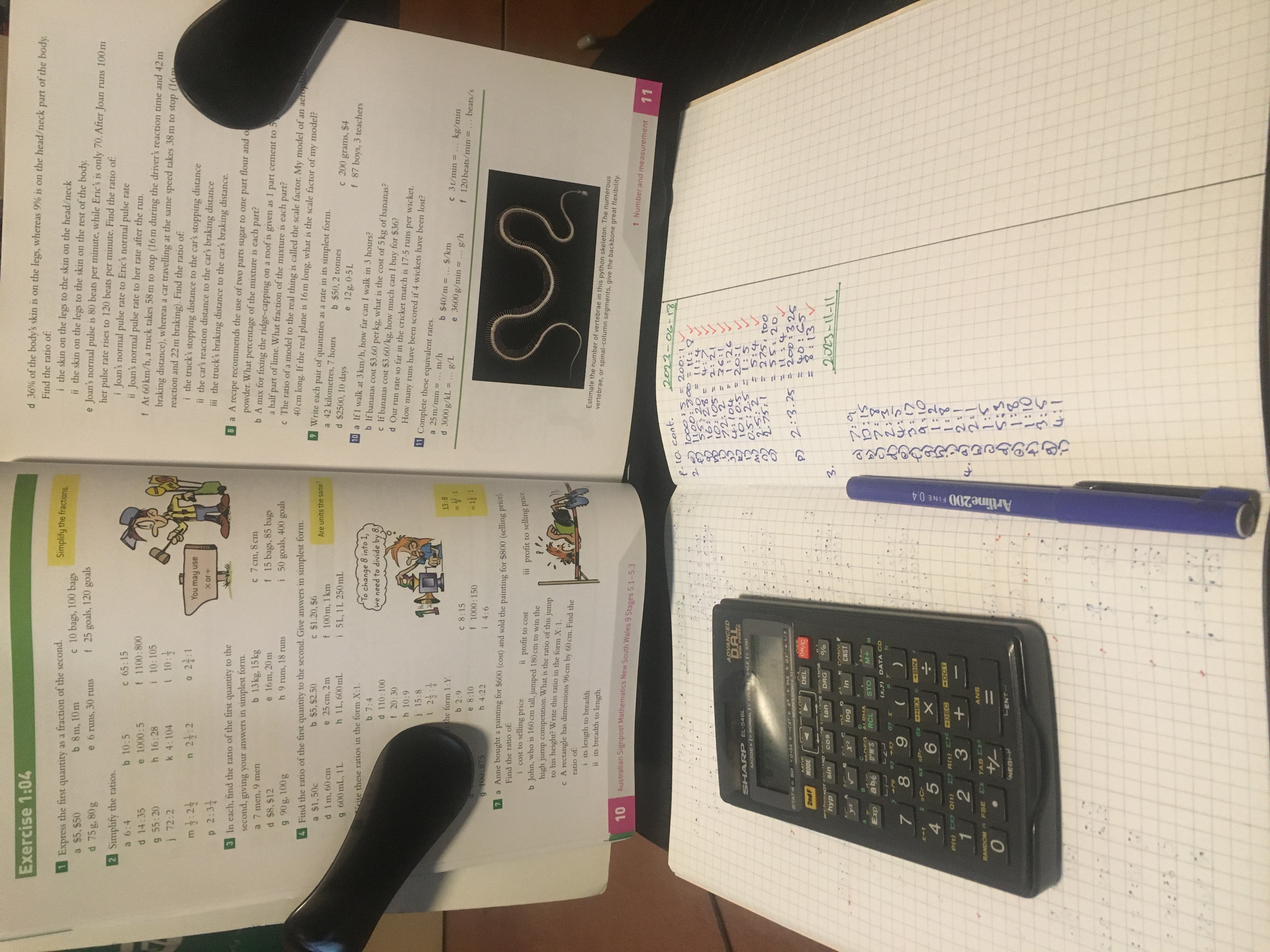
At the moment I’m working through Australian Signpost Mathematics New South Wales 9 (5.1-5.3) Student Book, which is the year 9 textbook. I’m only up to page 10, fractions and ratios. I should work on it more than I do. Let’s see what I can do about that. :)
I suppose it’s a poorly kept secret that now I’m live on Patreon. My Patreon page is here: https://www.patreon.com/JohnElliotV
I would like to stress that I do my blog and my YouTube channel for love and I do *not* expect anyone to send money, so please don’t feel pressured to do so. <3
If you have any thoughts on the Patreon page or how my YouTube channel is configured I would be happy to hear from you, particularly if you have suggestions about how to improve things.
This post is part of my video blog and you can find more information about this video on this show’s homepage which is here.
You can support this channel on Patreon: patreon.com/JohnElliotV
Silly Job Title: Craig Entertainer
Here it is! As planned, my new costume! Just for fun when I record electronics videos in my lab I’m gonna dress myself up like Egon Stetmann the scientist from StarCraft II:

The cosplay costume reveal is in this video. Also some news and discussion about the goals for the channel over the longer term.
As mentioned in this video I will have a new job title for my ID card for each video. The inaugural job title is Craig Entertainer, for my only regular reader, Craig. :)
Here are some affiliate links to the bits and pieces I got for the costume:
Thanks very much for watching! And please remember to hit like and subscribe!
Following is a product I use picked at random from my collection which may appear in my videos. Clicking through on this to find and click on the green affiliate links before purchasing from eBay or AliExpress is a great way to support the channel at no cost to you. Thanks!
aToolTour Extra Long Magnetic Drill Bit Extension notes notes |
Let’s go shopping!