
Today I bumped into My System Design Template which I thought was pretty neat.
Author Archives: Jay Jay
Moment.js in maintenance mode
Today I read that Moment.js is now in maintenance mode…
jj5 2020
I got this awesome present from my brother Tim for my 40th birthday:

It’s a figurine of Tychus Findlay from StarCraft II.
Bridge sniffer
I’ve been having trouble getting my Pioneer FreedomBox to work and I found myself wanting a network protocol analyser so I could see what was going on.
I got myself two of these Simplecom USB 3.0 to Gigabit RJ45 Ethernet LAN Adapters and attached them to my MacBook Pro, like this:
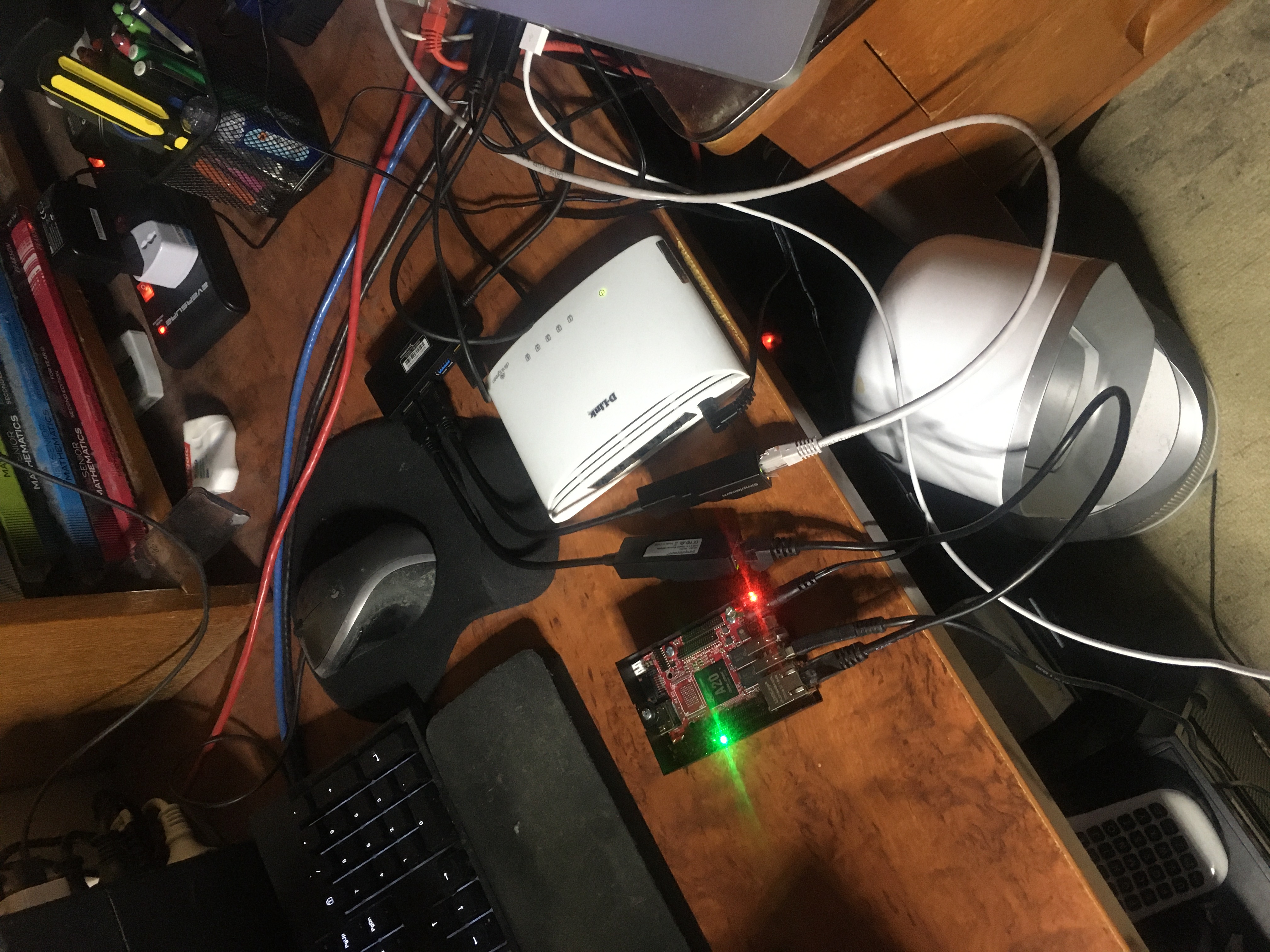
Then I spun up a Kubuntu system in a VMWare Fusion virtual machine and created a bridge like this (thanks to my mate Raz for the instructions):
   ifconfig eth0 up
   ifconfig eth1 up
   brctl addbr br0
   brctl addif br0 eth0
   brctl addif br0 eth1
   ifconfig br0 up
Then I was able to run WireShark to monitor traffic across the br0 bridge which helped me to diagnose the issues I was facing.
…and in the end I got my FreedomBox operational, so got to be happy about that! :)
The problem I was having was that my FreedomBox would work okay for a few minutes and then lose network connectivity. I confirmed this with my WireShark logs. You could see the DHCP and MDNS working at first and then see things stop working after some time.
The problem turned out to be related to the fact that I was running an old version of the FreedomBox software. The reason my software was out of date was that I had downloaded a “nightly build” which was well out of date. I think maybe the nightly builds are no longer maintained. After I upgraded to a stable build my networking problems went away.
Resetting a WASD Code keyboard
I have a CODE V3 104-Key Mechanical Keyboard with Cherry MX Green switches which I love. But unfortunately it has been my experience that they can be a bit finicky. I had to return one to WASD once because keys started producing “gibberish” if pressed the keys too hard. I know! Crazy!
Anyway I had a similar problem today. My Pause key, when pressed, would simultaneous ‘mute’ my audio *and* turn it either ‘up’ or ‘down’ (with a preference for ‘up’). Friggin weird. Anyway I was able to fix the issue by doing a keyboard reset.
To do a keyboard reset: unplug the keyboard, set SW4 to the “on” position, plug it back in. Wait until the solid green lights emit and then unplug, set SW4 back to the “off” position and then plug the keyboard back in and test. Easy peasy. :)
Make Android self-hosting
I read Make Android self-hosting today. It popped up on lobste.rs I think. Interesting read about what might need to be done to get Android to beat iOS.
John’s FreedomBox unboxing
So this happened. I’m still in the process of getting my Pioneer FreedomBox to actually run but I expect I will get there in the end.
Javascript Generators, Meet XPath
Today I read Javascript Generators, Meet XPath which was awesome.
On your Pat Malone
So I knew there was an expression that sounded like “on your pattern alone” and I knew the word “pattern” was wrong; turns out there’s an Australian slang idiom “you’re on your Pat Malone” which is rhyming slang to say that you are “alone”.
How to generate an SSL private key for use with MySQL/MariaDB and PDO
To generate an SSL private key for use with MySQL/MariaDB and PDO:
openssl genrsa -out client-key.pem 4096