As part of today’s updating of my Patreon page and my YouTube branding I took new photos of the lab, you can see them over here: https://www.jj5.net/lab/
John’s lab
Reply

As part of today’s updating of my Patreon page and my YouTube branding I took new photos of the lab, you can see them over here: https://www.jj5.net/lab/
I suppose it’s a poorly kept secret that now I’m live on Patreon. My Patreon page is here: https://www.patreon.com/JohnElliotV
I would like to stress that I do my blog and my YouTube channel for love and I do *not* expect anyone to send money, so please don’t feel pressured to do so. <3
If you have any thoughts on the Patreon page or how my YouTube channel is configured I would be happy to hear from you, particularly if you have suggestions about how to improve things.
Wanna check out ESP-IDF which is Espressif’s official IoT Development Framework. Have to decide if I will use Linux, Mac, or Windows, and whether I will use VSCode or Eclipse.
This looks like a good place to start: https://github.com/espressif/esp-idf
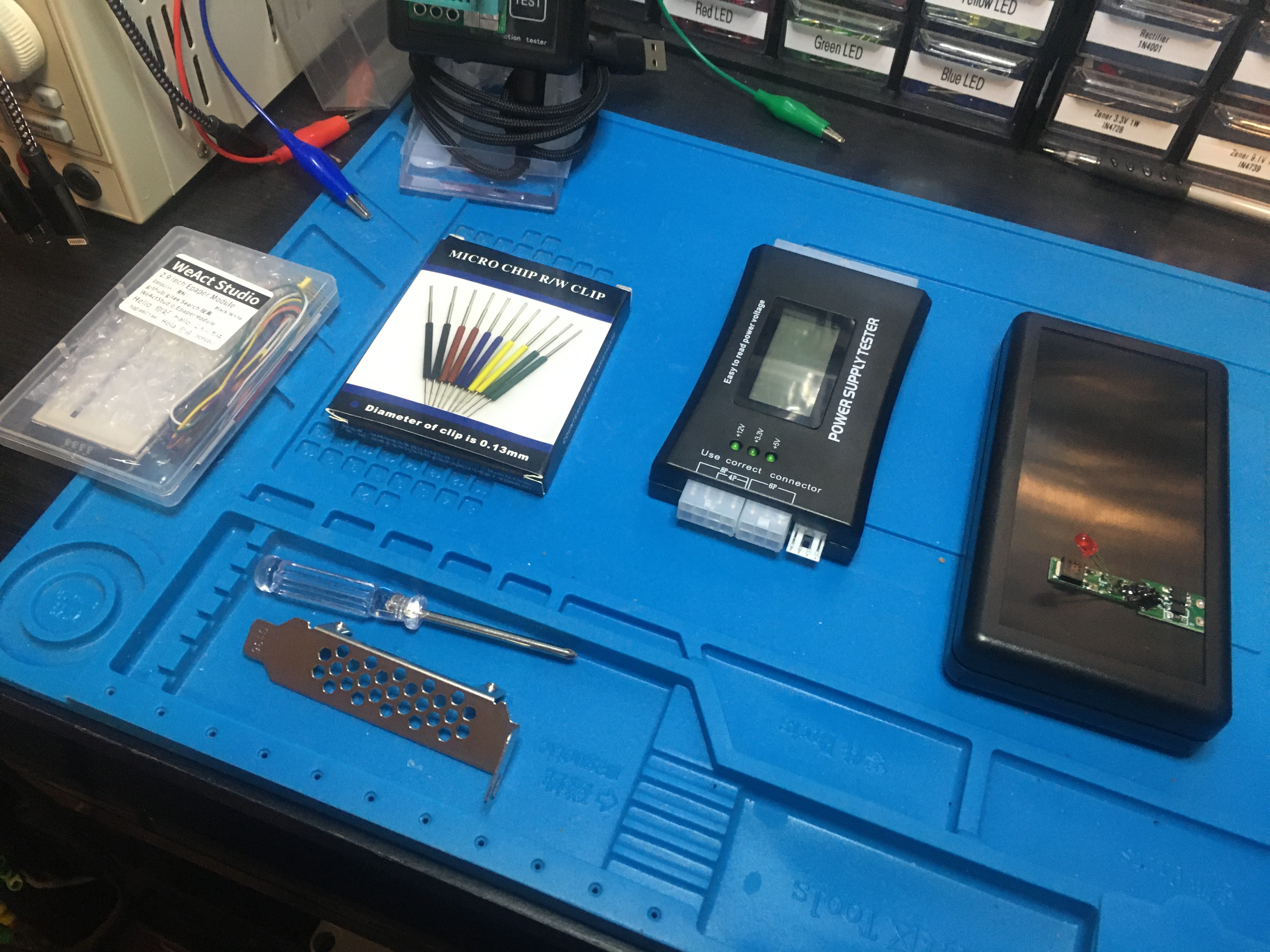
I’ve got some equipment laid out to remind me of four different projects I will be doing soon for In The Lab With Jay Jay.
From left-to-right they are:
I found a bunch of handy information about JST connectors over on Wikipedia: JST connector. There are a bunch of different JST series, it’s worth knowing about these.
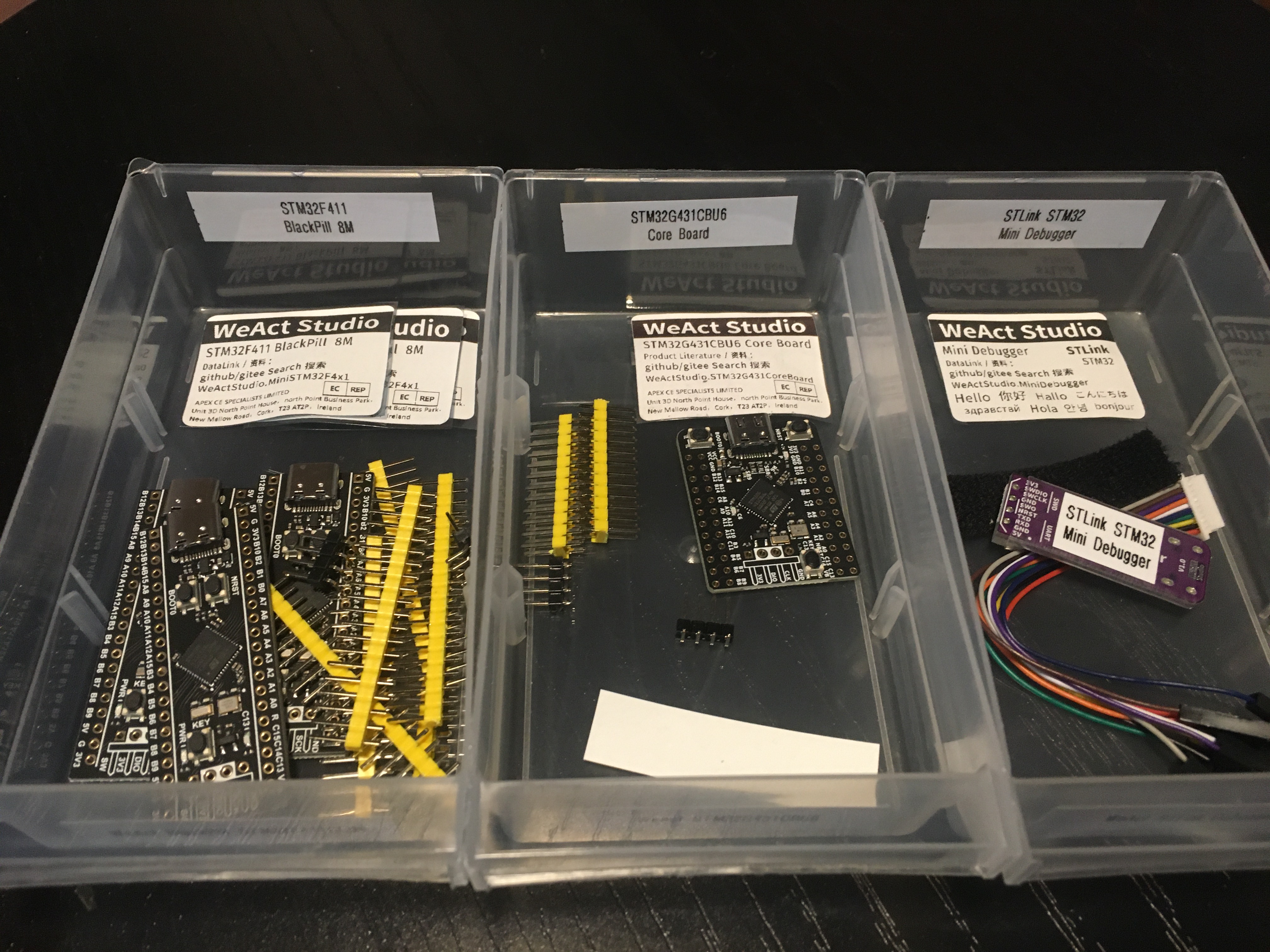
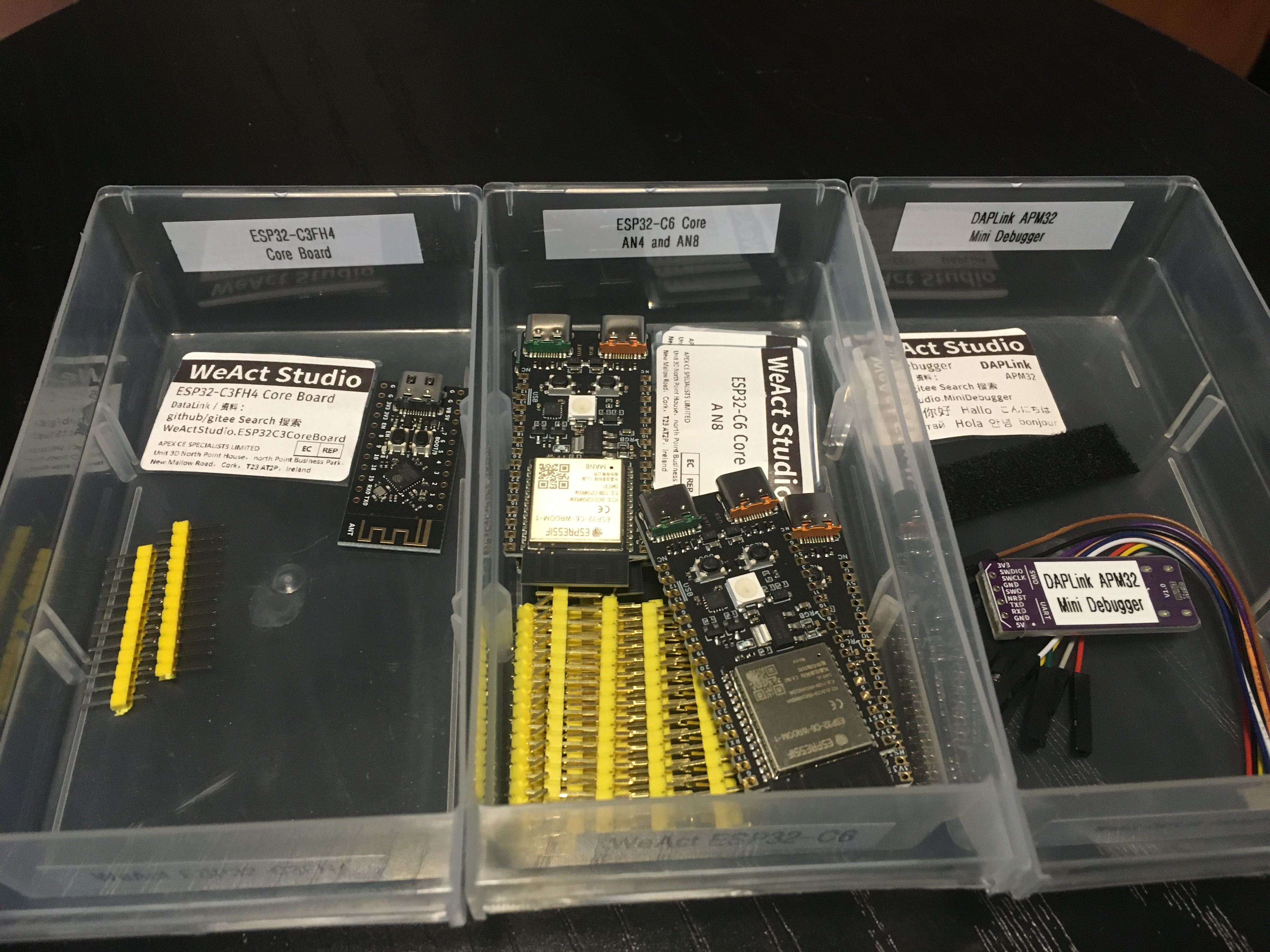
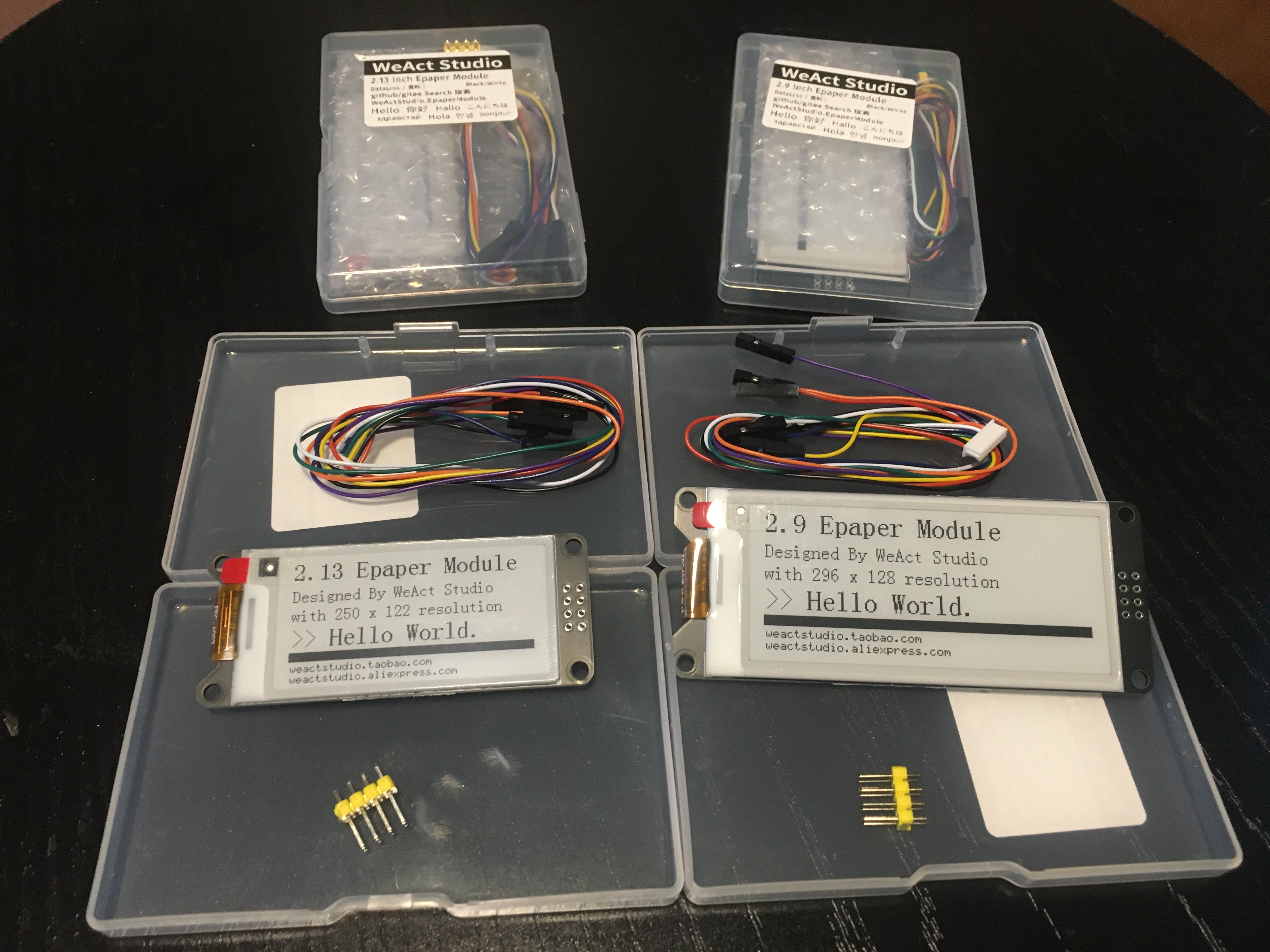
You might remember that last month AliExpress had a sale and I ordered a bunch of stuff. That stuff has started to arrive and I wanted to show you the things I picked up from WeAct Studio.
I don’t know anything about WeAct Studio, I have never heard of them before. But I like what I see so far!
Here’s my WeAct Studio kit which arrived today:
This post is part of my video blog and you can find more information about this video over here.
You can support this channel on Patreon: patreon.com/JohnElliotV
Silly Job Title: Power Provider
It’s the In The Lab With Jay Jay Halloween Special! This evening: another unboxing video! This time we’re taking a look at my retro gaming console: The Mini Classic Game Console. Complete with 620 odd games!
I picked this thing up at Vinnies (the thrift store) for fifteen Aussie buckaroos.
The main circuit board looks like this:
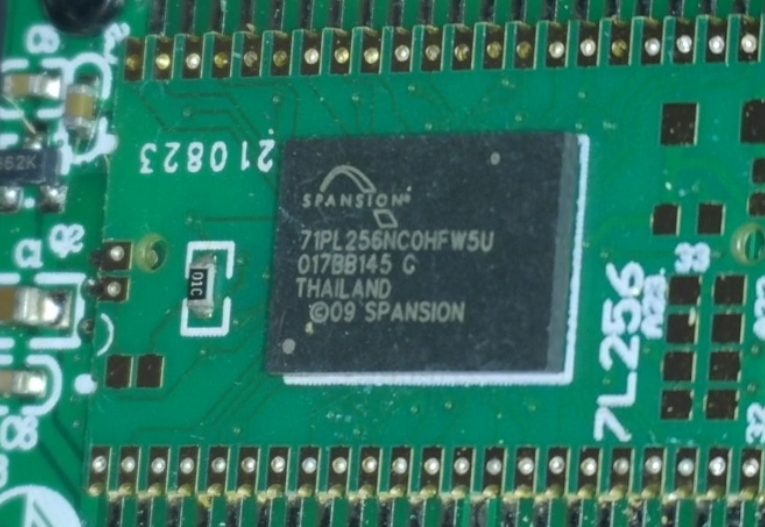
I found the S71PL256NC0HFW5U2 which is a 64Mb flash memory. The details of the other circuitry was obscured.
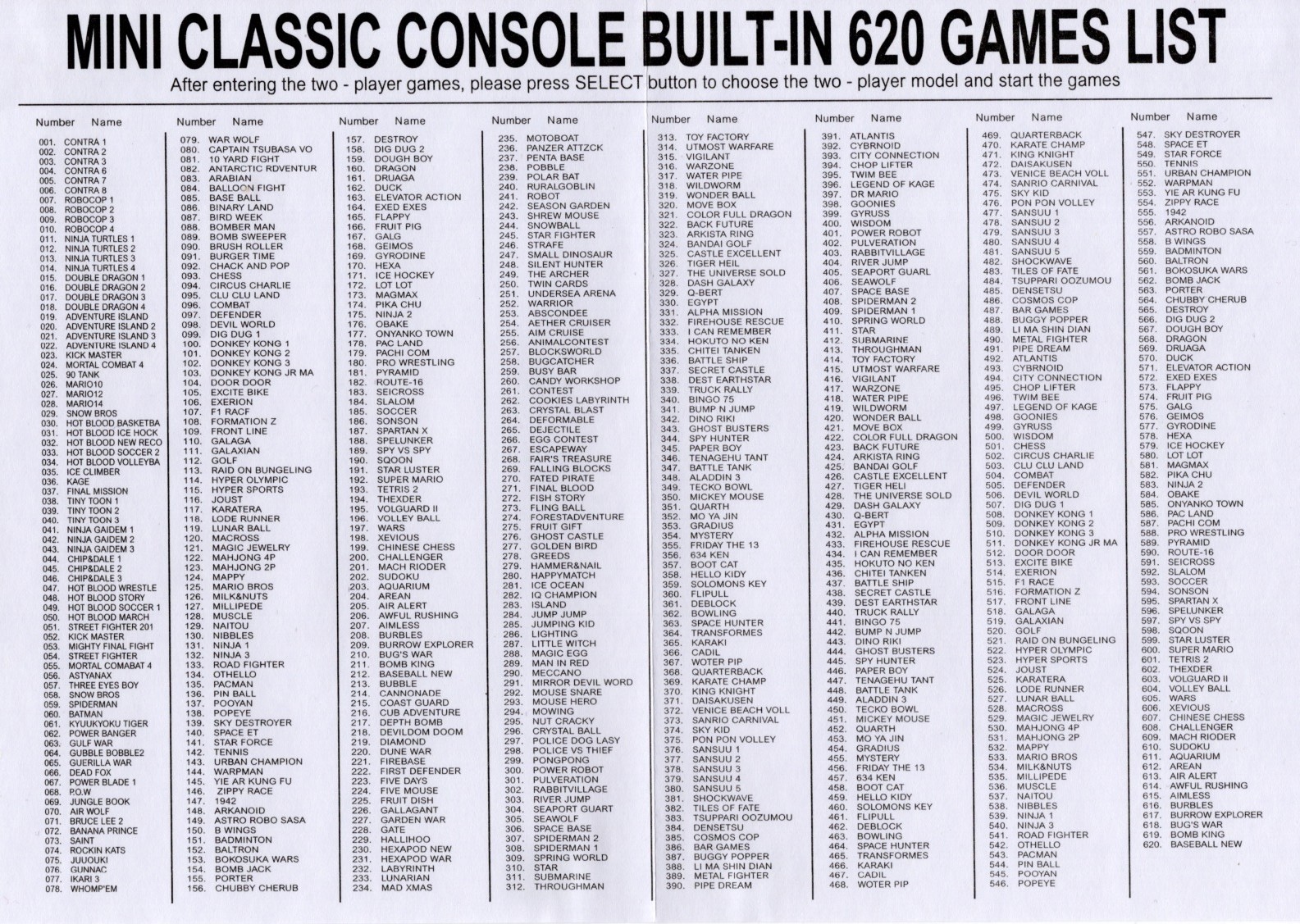
Here is the list of games on this thing:
And this is the manual:
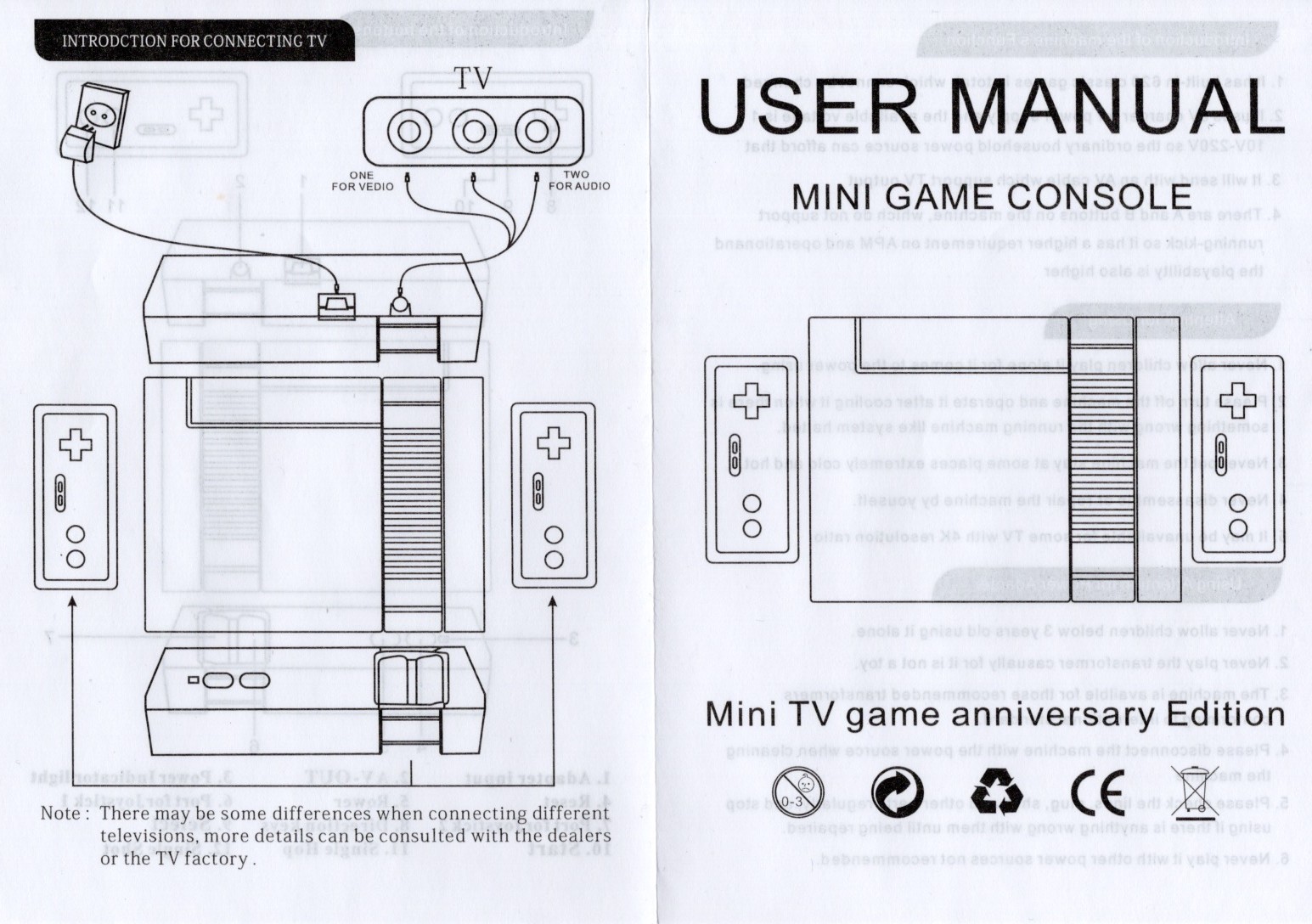
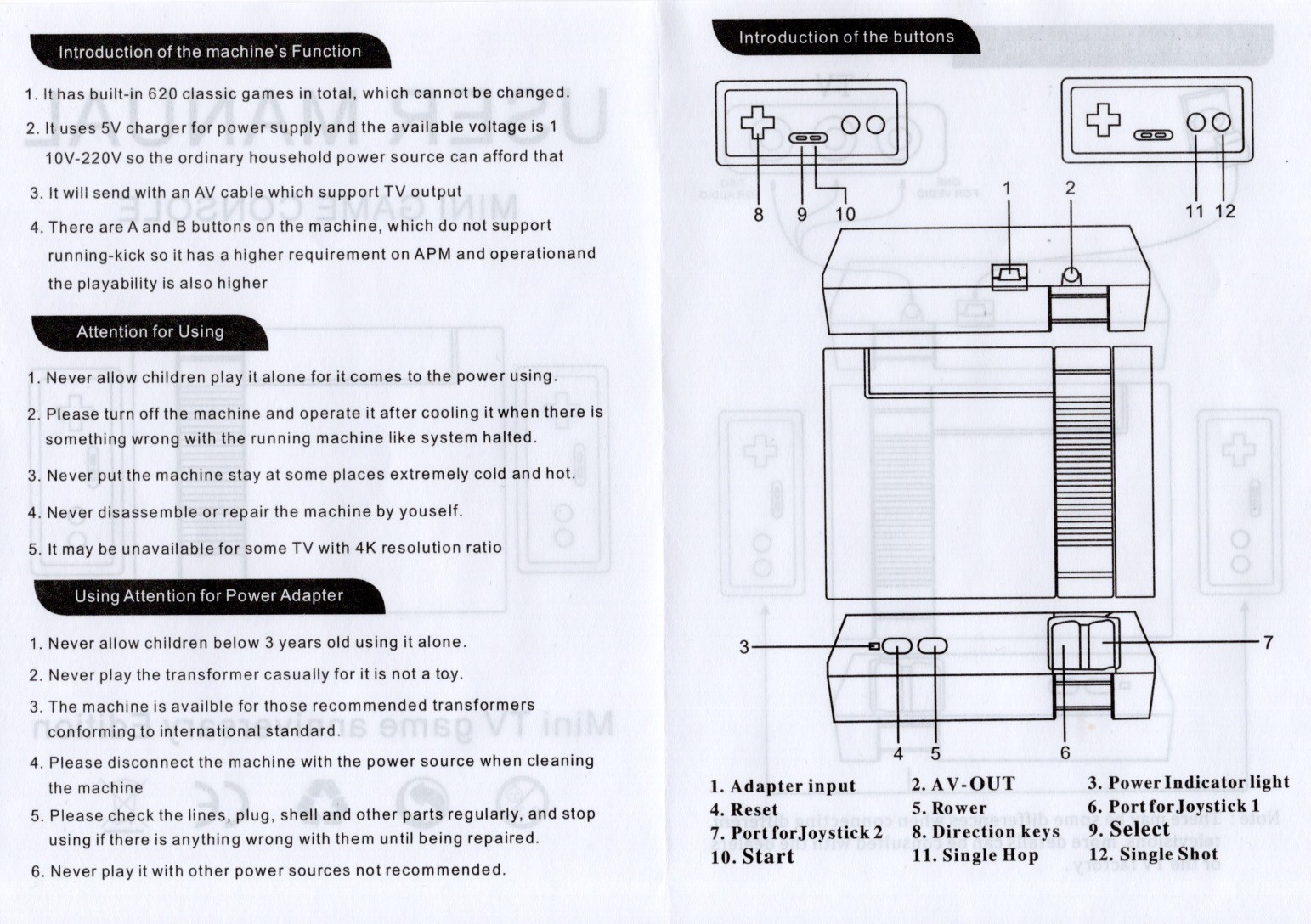
I managed to get this thing wired through an AV to HDMI adapter, then a HDMI to USB adapter, so in the last half of the video you can see me demoing a few of the games and scrolling through the full list of games.
Oh, and in this video I read “NTSL” on the manual and say “they got that wrong, it’s NTSA”, but *I* got that wrong, and it’s “NTSC”. The American video standard. In Australia almost everything is PAL.
Thanks very much for watching! And please remember to hit like and subscribe! :)
Following is a product I use picked at random from my collection which may appear in my videos. Clicking through on this to find and click on the green affiliate links before purchasing from eBay or AliExpress is a great way to support the channel at no cost to you. Thanks!
aToolTour Black Hexagon Deburring Drill Bit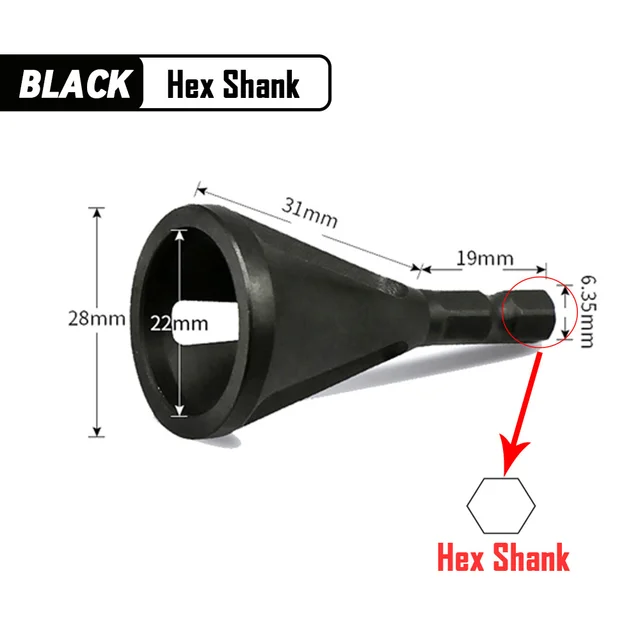 notes notes |
Let’s go shopping!
This post is part of my video blog and you can find more information about this video on this show’s homepage which is here.
You can support this channel on Patreon: patreon.com/JohnElliotV
Silly Job Title: Sparky
Happy Halloween! Today: another unboxing video! This time we’re taking a look at my two new mechanical keyboards from FILCO (affiliate links):
As I mention in the video I usually like to purchase my mechanical keyboards from WASD Keyboards in California. They make excellent keyboards but just a bit too pricey for me at the moment. Instead of purchasing from WASD Keyboards I picked these keyboards up from Amazon Australia and I paid AU$202.55 (US$130) for the 104-key keyboard and AU$188.89 (US$120) for the 87-key keyboard which was roughly half of what I would have had to pay if I purchased from WASD Keyboards.
Both of these FILCO Majestouch 2SS Edition keyboards come with Cherry MX Speed Silver switches. If you’re into mechanical keyboards definitely give these switches a try; now that I’m used to them I will accept nothing less.
It was a bit disappointing that while doing the unboxing I discovered some of the keys had fallen loose during shipping. I have since plugged in and tested the keyboard (I’m using it now in fact) and everything seems to be working okay, so no harm no foul.
Thanks very much for watching! And please remember to hit like and subscribe!
Following is a product I use picked at random from my collection which may appear in my videos. Clicking through on this to find and click on the green affiliate links before purchasing from eBay or AliExpress is a great way to support the channel at no cost to you. Thanks!
Miniware DT71 Digital Tweezers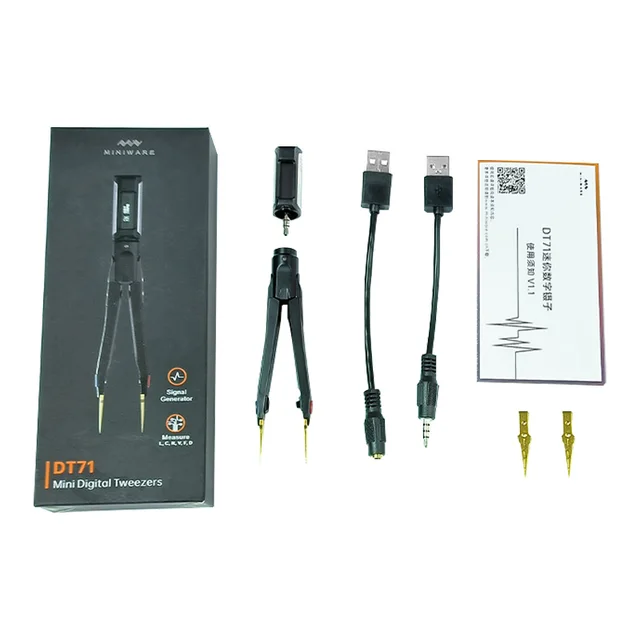 notes notes |
Let’s go shopping!
I have finished reading Stolen Focus by Johann Hari (affiliate link).
I went into this book much more worried about the state of attention in our communities than I was when I came out. Having read about it I kinda don’t feel that we really do have an urgent problem with so many people on earth being constantly engaged with their smart phones.
I might have trouble now starting a conversation with a family member because they are engrossed in their phone, and I might think this is new or different, but thirty years ago it would have been the same thing if they had their nose in a book or a newspaper.
I think by and large it’s good when we’re paying attention to things and engaging with them. That’s not only how entertainment gets done, that is also how work gets done.
I suspect one of the driving forces behind the surge in ADHD diagnoses (and Hari didn’t say this) is that people are getting the diagnosis deliberately because they want access to prescription amphetamines.
Anyway. I would still recommend reading this book. Hari does a good job of covering all the bases and investigating all the topics, including:
This post is part of my video blog and you can find more information about this video on this show’s homepage which is here.
You can support this channel on Patreon: patreon.com/JohnElliotV
Silly Job Title: Current Commander
Today: another unboxing video! I do these, not because I think that my regular viewers are going to be particularly interested, but because you really only get the opportunity to do these on the day that new equipment arrives, and I figure it might be helpful for people who search for unboxing videos for a particular product, so they can see what’s in the box before they make a purchasing decision.
This video is an unboxing of two different 4-port HDMI KVM switches. I would give you affiliate links but these don’t seem to be available in the USA, so here are the non-affiliated Amazon Australia links:
For the record I paid AU$64.56 for the AM-KVM401-K (US$40) and AU$84.14 for the KC-KVM401A (US$55). I don’t know what algorithm is in charge of pricing at Amazon but the prices seem to have gone way up since I purchased these things two days ago, now the AM-KVM401-K is AU$75.96 and the KC-KVM401A is AU$98.99, so not sure what’s up with that (but I do NOT like the idea that Amazon has a pricing system that isn’t offering all shoppers the same price all the time, which this smells like).
I reckon the K-CEVE marketing department is going to bit pretty upset with engineering or manufacturing about this, but when I was unboxing the AM-KVM401-K the front panel push button switch just dead set fell out! That’s gotta be embarrassing for someone.
Having done the unboxing I’ve decided I’m gonna try the larger KC-KVM401A unit first. Its larger size is a disadvantage but I like the fact that it has USB-A instead of USB-C inputs and I’m also happy that it has a dedicated 5V power rail, the AM-KVM401-K is powered off the USB bus which is less desirable.
I will post another article later to let you know how I went when I actually plug these things in, which I haven’t actually done yet.
Thanks very much for watching! And please remember to hit like and subscribe!
Following is a product I use picked at random from my collection which may appear in my videos. Clicking through on this to find and click on the green affiliate links before purchasing from eBay or AliExpress is a great way to support the channel at no cost to you. Thanks!
Yum Cha TE-801 Third Hand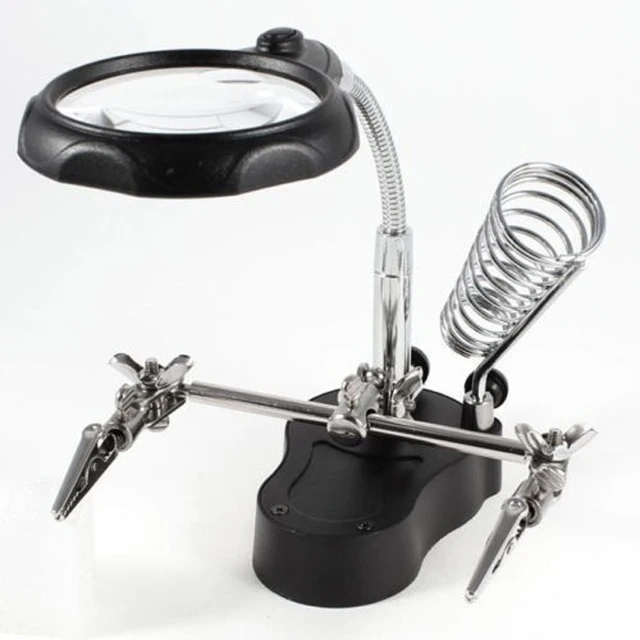 notes notes |
Let’s go shopping!