Passing myself off as respectable

There’s been a little bit of spring cleaning around here today!

I’m trying to get my house in order so I can pass myself off as respectable when I start promoting my new show In The Lab With Jay Jay in earnest.

To that end I have reviewed the look and feel of my wiki. It no longer has that black, green, and orange monospaced font vibe going on, but now uses the relatively unoffensive default theme.

It’s not using the latest Vector theme, but rather the legacy one. This was deliberate because I have a lot of big tables in my wiki (such as on my computers and shopping pages) and the legacy theme plays nicer with those.

I’ve also been tweaking the website for my show, including an updated about page.

The blog, the wiki, and the show also now all use my new favicon which is my take on the Hacker Emblem:

John's new icon, based on the Hacker Emblem

Context object versus global variables

I’m reading A Philosophy of Software Design by John Ousterhout and he says:

The context object unifies the handling of all system-global information and eliminates the need for pass-through variables. If a new variable needs to be added, it can be added to the context object; no existing code is affected except for the constructor and destructor for the context. The context makes it easy to identify and manage the global state of the system, since it is all stored in one place. The context is also convenient for testing: test code can change the global configuration of the application by modifying fields in the context. It would be much more difficult to implement such changes if the system used pass-through variables.

Contexts are far from an ideal solution. The variables stored in a context have most of the disadvantages of global variables; for example, it may not be obvious why a particular variable is present, or where it is used. Without discipline, a context can turn into a huge grab-bag of data that creates nonobvious dependencies throughout the system. Contexts may also create thread-safety issues; the best way to avoid problems is for variables in a context to be immutable. Unfortunately, I haven’t found a better solution than contexts.

Okay, so I’m just gonna step way out of line over here and suggest something heretical… but shouldn’t you just use global variables? You only introduced the context object so you could tweak it in unit tests, and you could just change your tests so that each one ran in a new process. Just sayin’.

…I suppose for the sake of completeness I should add a little more from Ousterhout which he said prior to the above:

Another approach is to store the information in a global variable, as in Figure 7.2(c). This avoids the need to pass the information from method to method, but global variables almost always create other problems. For example, global variables make it impossible to create two independent instances of the same system in the same process, since accesses to the global variables will conflict. It may seem unlikely that you would need multiple instances in production, but they are often useful in testing.

…so he is bending over backward to support multiple tests in one process, but he could just run each test in its own process and his problem evaporates.

6 Horribly Common PCB Design Mistakes and AppCAD

Today I enjoyed watching 6 Horribly Common PCB Design Mistakes and the follow-up video Design Mistakes You Must Avoid on Your New Electronic Product.

In the first video I learned about AppCAD Design Assistant which is a free tool which boasts a broad bunch of features (and, particularly, it can help you design an antenna on your PCB):

  • S-Parameter Analysis and Plotting
  • Active Circuit Bias Design
  • Cascade Noise and IP3 Analysis
  • Transmission Line Analysis
  • Signals and Systems
  • Complex Math Engineering Calculator

I haven’t used AppCAD yet, but I will check it out soon.

PCBWay: Educational 555 Board

I got an email from one of the marketing people from PCBWay who said they could offer me free PCB printing services in exchange for a review of their service on my blog. I am very happy to do that!

Today I signed up for an account over here: https://www.pcbway.com/Member/Login/

The signup process was extremely painless: email address, password, terms of service, privacy policy, done.

(Note: I am not a lawyer, but I did read the ToS and privacy policy, and basically they claim the rights to your design files for various purposes and might transfer your data over an insecure network. I think these services are fine for hobbyists dealing with open hardware, but if you’re a commercial entity dealing with higher value intellectual property or larger volumes you might like to get legal advice before engaging.)

After logging in I got an email confirmation code emailed to me. I updated my account settings including my basic information and contact information so they know where to ship my PCBs. In exchange for my having filled out my full profile they gave me US$35 worth of vouchers with various terms (e.g. minimum spend).

I then used their shared project service to search for a 555 timer circuit that would meet my requirements. I found this one: Educational 555 Board.

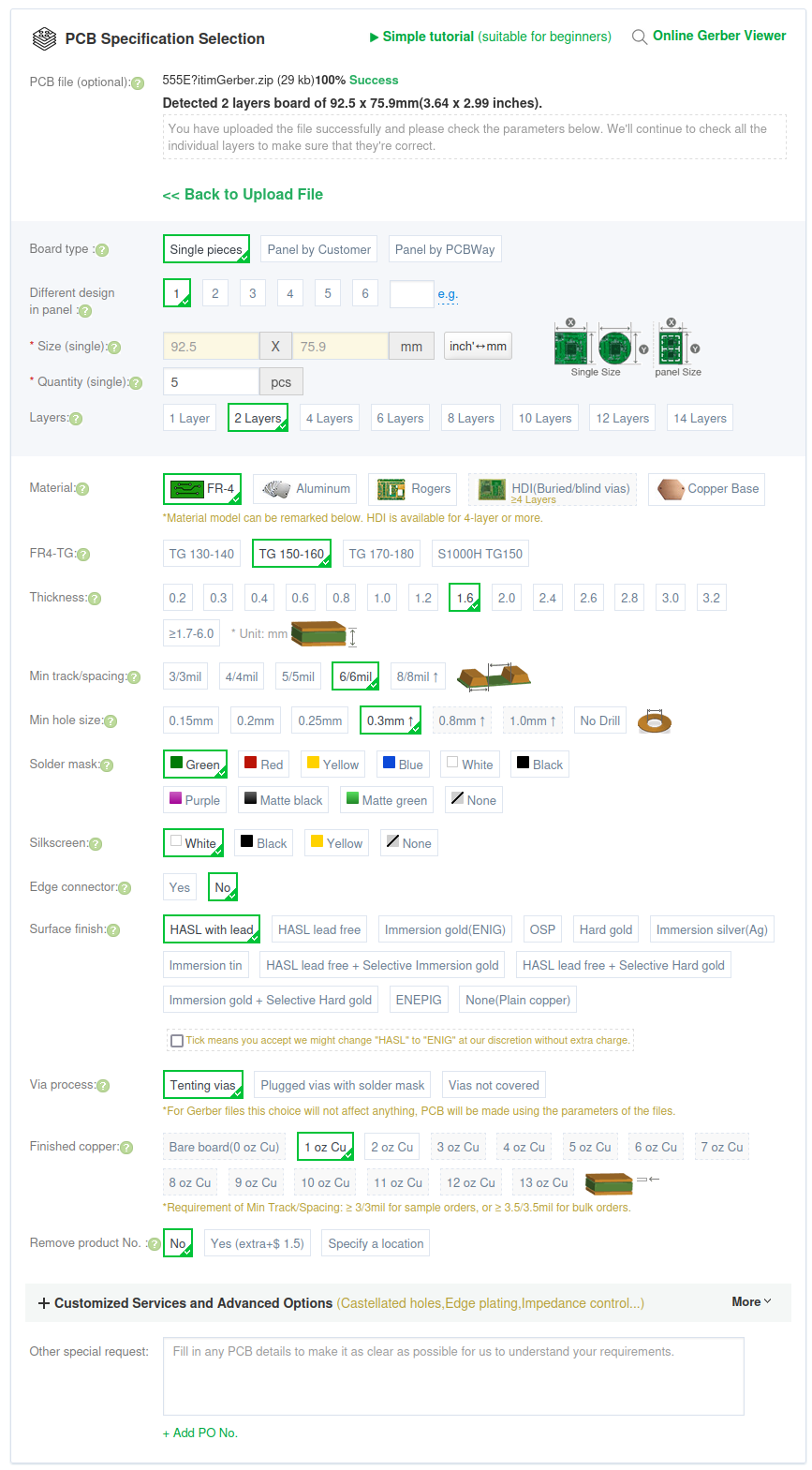
I clicked “Add to cart” and accepted all the defaults (shown below) on my order for 5 PCBs. So far I am a happy customer! (Update: as part of our sponsorship deal PCBWay covered the shipping costs too! I was a bit worried they might ask me to cover the shipping, but they included it, which was super excellent, especially as the shipping was about five times as much as the boards themselves!)

I’m just getting started with PCB printing. I expect that in future I will do much more of it. I have been working my way through PCB design with KiCad – updated for KiCad 7 to learn how to design PCBs using KiCad. Apparently there is a PCBWay Plug-In for KiCad, so that might be something worth checking out.

When my PCBs from PCBWay arrive I will make a video of me putting together the 555 timer circuit and then using it to test my IC test probes. Stay tuned for that one!