Thanks very much for watching! And please remember to hit like and subscribe! :)
Following is a product I use picked at random from my collection which may appear in my videos. Clicking through on this to find and click on the green affiliate links before purchasing from eBay or AliExpress is a great way to support the channel at no cost to you. Thanks!
Note that the Ampcom is advertised as the ANENG M469D on AliExpress, but that’s not actually what you get. The Ampcom model that you do get seems to work well enough, but I would recommend the OULLX NSS-681HDMI-RJ45 because it’s cheaper and can do HDMI in addition to Ethernet.
Thanks very much for watching! And please remember to hit like and subscribe! :)
Following is a product I use picked at random from my collection which may appear in my videos. Clicking through on this to find and click on the green affiliate links before purchasing from eBay or AliExpress is a great way to support the channel at no cost to you. Thanks!
In this video I clean, test, and file a bunch of resistors and ceramic capacitors.
During this video I mention the Peak Atlas test instruments. I don’t own these yet, but they are on my wishlist!
Thanks very much for watching! And please remember to hit like and subscribe! :)
Following is a product I use picked at random from my collection which may appear in my videos. Clicking through on this to find and click on the green affiliate links before purchasing from eBay or AliExpress is a great way to support the channel at no cost to you. Thanks!
In this video I unbox an Ampcom Automatic Network Cable Tester from AliExpress. It was a bit confusing because the AliExpress page says this is an ANENG M469D. But actually it’s not. It’s an Ampcom Automatic Network Cable Tester, which is a similar bit of kit. In the video I test this equipment with both a normal patch cable and a crossover cable and it seems to work okay, so for five bucks I’m a happy customer.
Thanks very much for watching! And please remember to hit like and subscribe! :)
Following is a product I use picked at random from my collection which may appear in my videos. Clicking through on this to find and click on the green affiliate links before purchasing from eBay or AliExpress is a great way to support the channel at no cost to you. Thanks!
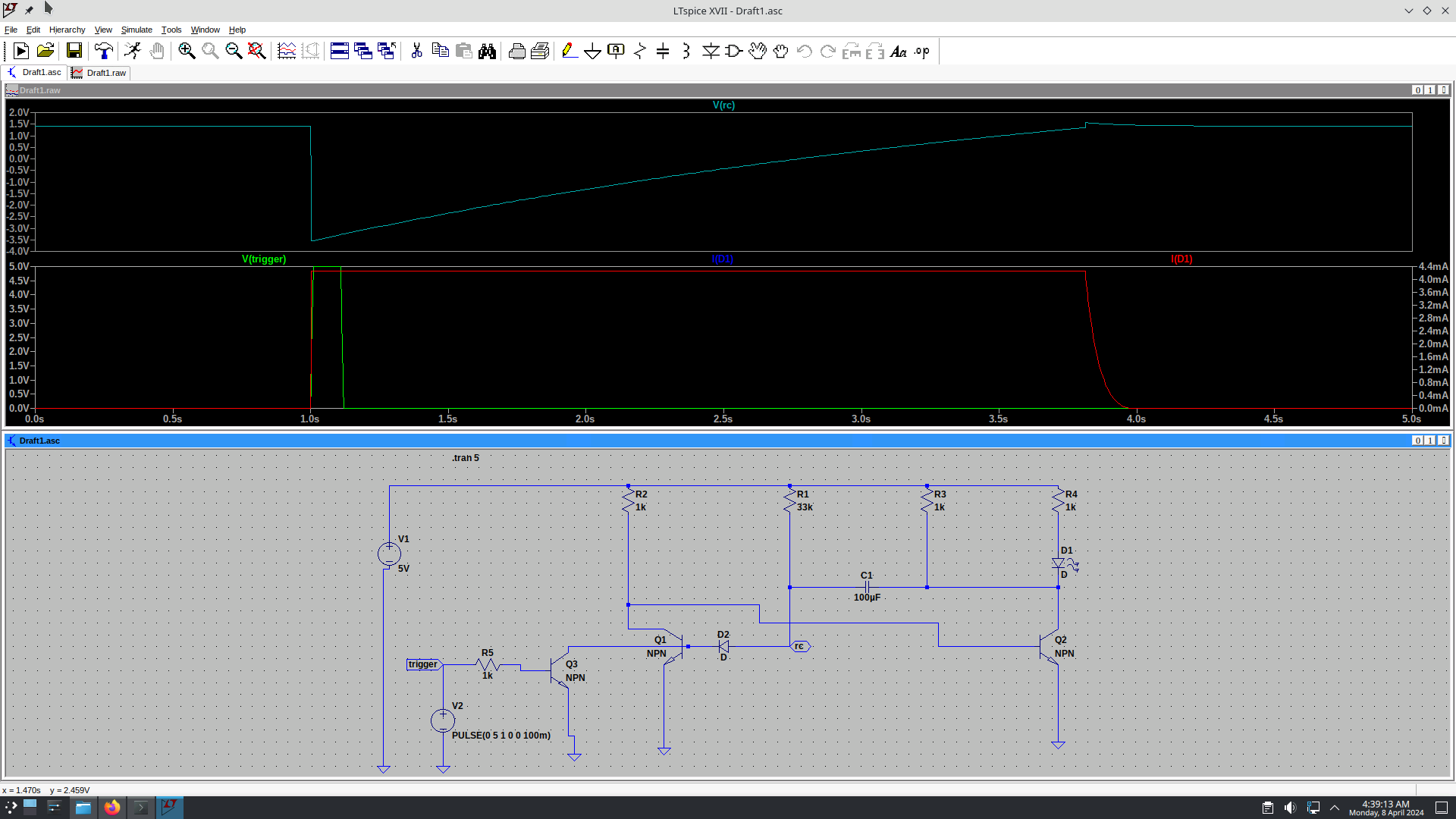
Today I created and ran my first SPICE simulation using LTspice! Super big thanks to my mate @Zero999 for helping me along the path. I installed on my Debian 12 (bookworm) electronics workbench ‘insight‘ using these instructions which I stole from here.
I am way behind on my videos for In The Lab With Jay Jay, but it’s not for lack of trying! I’ve recorded the video for project 9 of the Maxitronix 20in1 something like five times now, but I still can’t release it because the circuit will not work as advertised. It’s suppose to be a demo of a monostable multivibrator, which is also known as a one-shot multivibrator, but the circuit isn’t working the way that a monostable multivibrator is supposed to work. I’m still in the process of debugging it. I think the problem is a problem with instructions and not my implementation (the instructions are fairly low quality and unreliable in my experience so far), but I haven’t arrived at the bottom of this one yet. I will continue to try and solve this conundrum tomorrow.