Joe Armstrong – Keynote: The Forgotten Ideas in Computer Science – Code BEAM SF 2018

I watched Joe Armstrong – Keynote: The Forgotten Ideas in Computer Science – Code BEAM SF 2018. I made the mistake of starting my notes as I went along with the video. If I had have watched the video first I probably wouldn’t have made the notes. Anyway. Sunk cost. Here ’tis.

Two papers to read:

  1. A Plea for Lean Software by Niklaus Wirth
  2. The emperor’s old clothes by Tony Hoare

Four old tools to learn:

  1. emacs (vi)
  2. bash
  3. make
  4. shell

Four really bad things:

  1. Lack of privacy
  2. Attempts to manipulate us through social media
  3. Vendor lock-in
  4. Terms and conditions

Three great books to read:

  1. Algorithms + Data Structures = Programs by Niklaus Wirth (PDF)
  2. The Mythical Man-Month by Fred Brooks (PDF)
  3. How to Win Friends and Influence People by Dale Carnegie (PDF)

Seven reasons why software is difficult now:

  1. Fast machines
  2. Huge memory
  3. Hundreds of PLs
  4. Distributed
  5. Huge programs
  6. No specifications
  7. Reuse

One fun programming exercise:

  1. META II a syntax-oriented compiler writing language (PDF)

8 great machines from the past:

  1. Baby SSEM
  2. PDP11
  3. Vax 11/750
  4. Cray 1
  5. IBM PC
  6. Raspberry Pi
  7. iPhone/iPad
  8. Nvidia Tesla P100

3 performance improvements:

  1. Better algorithms (x6) (Interpreter -> Compiler)
  2. Better programming language (x50) (Prolog -> C)
  3. Better hardware (x1000 per 10 years)

5 YouTube videos to watch:

  1. Alan Kay at OOPSLA 1997 – The computer revolution hasnt happened yet
  2. Ted Nelson — Computers for Cynics [full version]
  3. Free is a Lie
  4. How a handful of tech companies control billions of minds every day | Tristan Harris
  5. Matt Might – Winning the War on Error Solving the Halting Problem and Curing Cancer

6 things not to do:

  1. Backdoors
  2. Violate privacy
  3. Put microphones in everybody’s houses
  4. Hijack our attention system
  5. Hijack our social systems
  6. Sell crap that we don’t want or need

5 sins:

  1. Crap documentation
  2. Crap website
  3. Crap dependencies
  4. Crap build instructions
  5. Group think

4 languages to learn:

  1. C
  2. Prolog
  3. Erlang
  4. Javascript

4 great forgotten ideas:

  1. Linda Tuple Spaces – David Gelernter and Nicholas Carriero
  2. Flow based programming – John Paul Morrison
  3. Xanadu – Ted Nelson
  4. Unix pipes

6 areas to research:

  1. Robotics
  2. AI
  3. Programmer productivity
  4. Energy efficiency
  5. Precision medicine
  6. Security

2 dangers:

  1. Group think
  2. Bubble think

4 ideas that are obvious now but strange at first:

  1. Indentation
  2. Versioning
  3. Hypertext across machine boundaries
  4. Pipes

2 fantastic programs to try:

  1. TiddlyWiki
  2. Sonic Pi

7 distractions:

  1. Open plan offices
  2. The latest stuff
  3. Twitter/Facebook (social media)
  4. Notifications (turn ’em off)
  5. Links (don’t click on them)
  6. Ban Scrum etc
  7. We can only do one thing at a time; our brains are terribly bad at context switching

3 general laws:

  1. Software complexity grows with time (because we build on old stuff)
  2. Bad code crowds out good (Gresham’s law)
  3. Bad code contaminates good code

3 laws of physics:

  1. A computation can only take place when the data and the program are at the same point in spacetime -=> get all the data + program to the same place (can be client or server or someplace in-between) (problem – easy to move data – difficult to move programs) This is why PHP is good :-)
  2. Causality – Effect follows cause. We don’t know how stuff is we know how it was (the last time it told us)
  3. 2nd law of thermodynamics – Entropy (disorder) always increases

6 common problems:

  1. Does not know how to delete files – when the system runs out of space they buy a new computer
  2. No idea of what MBytes, Mbits, Bits/sec, quad cores, etc means
  3. If the app doesn’t work immediately gives up
  4. Does not search for fixes – or does and does not understand the answers
  5. Does not want to try the latest things
  6. Uses a method that works (not the best) – e.g. to copy a file open it and then save it with a new name

5 more problems:

  1. The UI changes
  2. Passwords
  3. Stuff doesn’t work
  4. Terms & Conditions
  5. non-reproducible errors

Things can be small:

  1. Forth OS 24KB
  2. Forth compiler 12KB
  3. IBM PC DOS < 640KB
  4. USCD Pascal
  5. Turbo Pascal
  6. Turbo C

The old truths:

  1. Keep it simple
  2. Make it small
  3. Make it correct
  4. Fight complexity

Web is broken:

  1. It’s not symmetric; users read data but write very little
  2. Can every page be changed?
  3. Can I make new data by combining fragments from other data in a flexible manner? No.
  4. The Web is dominated by a small number of companies (Amazon, Apple, Google, Facebook) using huge data centers, it should be controlled from the edge network.
  5. The original vision was a Web controlled by “citizen programmers” (Search for Ted Nelson talks)

HTML and HTTP have several problems:

  1. Non symmetric
  2. Easy to read/difficult to write
  3. Pages get lost (disappear)
  4. Links are wrong (404-problem)
  5. Re-use, attribution, IP rights, payments is a mess
  6. Controlled by a very small number of companies

The Divided Brain

Here is a presentation of the work of Iain McGilchrist: The Divided Brain.

McGilchrist has written a number of books, including:

Unboxing #9: Unboxing of Sudake SDK07 and SKD08 IC Clip SMD Gripper Test Probe | In The Lab

This post is part of my video blog and you can find more information about this video on this show’s homepage which is here.

You can support this channel on Patreon: patreon.com/JohnElliotV

Silly Job Title: Hack In Residence

Today: another unboxing video! This time we’re taking a look at the Sudake SDK07 and SKD08 IC clips / SMD grippers / test probes.

Originally I was going to demo these things in this video too, but the test circuit took like two hours to make, and then when I turned it on it didn’t even work, so I cancelled that and now this is just an unboxing video and not a demo. Stay tuned for the demo which I will do, just when I can find some more time.

These test clips are really great, they let you attach a probe to the foot of an integrated circuit or a surface mount device.

Be warned: there’s a bit of swearing and bad language in this video. What can I say? I’m just a passionate individual, ya know? :P

Thanks very much for watching! And please remember to hit like and subscribe!


Following is a product I use picked at random from my collection which may appear in my videos. Clicking through on this to find and click on the green affiliate links before purchasing from eBay or AliExpress is a great way to support the channel at no cost to you. Thanks!

Yum Cha 100pcs Releasable Cable OrganizerThis is an image of the product.

Let’s go shopping!

I’m on Patreon now

I suppose it’s a poorly kept secret that now I’m live on Patreon. My Patreon page is here: https://www.patreon.com/JohnElliotV

I would like to stress that I do my blog and my YouTube channel for love and I do *not* expect anyone to send money, so please don’t feel pressured to do so. <3

If you have any thoughts on the Patreon page or how my YouTube channel is configured I would be happy to hear from you, particularly if you have suggestions about how to improve things.

Unboxing #8: Unboxing of Mini Classic Game Console | Learning Electronics In The Lab With Jay Jay

This post is part of my video blog and you can find more information about this video over here.

You can support this channel on Patreon: patreon.com/JohnElliotV

Silly Job Title: Power Provider

It’s the In The Lab With Jay Jay Halloween Special! This evening: another unboxing video! This time we’re taking a look at my retro gaming console: The Mini Classic Game Console. Complete with 620 odd games!

I picked this thing up at Vinnies (the thrift store) for fifteen Aussie buckaroos.

The main circuit board looks like this:

I found the S71PL256NC0HFW5U2 which is a 64Mb flash memory. The details of the other circuitry was obscured.

Here is the list of games on this thing:

And this is the manual:

I managed to get this thing wired through an AV to HDMI adapter, then a HDMI to USB adapter, so in the last half of the video you can see me demoing a few of the games and scrolling through the full list of games.

Oh, and in this video I read “NTSL” on the manual and say “they got that wrong, it’s NTSA”, but *I* got that wrong, and it’s “NTSC”. The American video standard. In Australia almost everything is PAL.

Thanks very much for watching! And please remember to hit like and subscribe! :)


Following is a product I use picked at random from my collection which may appear in my videos. Clicking through on this to find and click on the green affiliate links before purchasing from eBay or AliExpress is a great way to support the channel at no cost to you. Thanks!

aToolTour Black Hexagon Deburring Drill BitThis is an image of the product.notes

Let’s go shopping!

Unboxing #7: Unboxing of FILCO Majestouch 2SS Edition 104-key and tenkeyless keyboards | In The Lab

This post is part of my video blog and you can find more information about this video on this show’s homepage which is here.

You can support this channel on Patreon: patreon.com/JohnElliotV

Silly Job Title: Sparky

Happy Halloween! Today: another unboxing video! This time we’re taking a look at my two new mechanical keyboards from FILCO (affiliate links):

As I mention in the video I usually like to purchase my mechanical keyboards from WASD Keyboards in California. They make excellent keyboards but just a bit too pricey for me at the moment. Instead of purchasing from WASD Keyboards I picked these keyboards up from Amazon Australia and I paid AU$202.55 (US$130) for the 104-key keyboard and AU$188.89 (US$120) for the 87-key keyboard which was roughly half of what I would have had to pay if I purchased from WASD Keyboards.

Both of these FILCO Majestouch 2SS Edition keyboards come with Cherry MX Speed Silver switches. If you’re into mechanical keyboards definitely give these switches a try; now that I’m used to them I will accept nothing less.

It was a bit disappointing that while doing the unboxing I discovered some of the keys had fallen loose during shipping. I have since plugged in and tested the keyboard (I’m using it now in fact) and everything seems to be working okay, so no harm no foul.

Thanks very much for watching! And please remember to hit like and subscribe!


Following is a product I use picked at random from my collection which may appear in my videos. Clicking through on this to find and click on the green affiliate links before purchasing from eBay or AliExpress is a great way to support the channel at no cost to you. Thanks!
Miniware DT71 Digital TweezersThis is an image of the product.notes

Let’s go shopping!

Unboxing #6: Unboxing of K-CEVE AM-KVM401-K and KC-KVM401A 4-port HDMI KVM switches | In The Lab

This post is part of my video blog and you can find more information about this video on this show’s homepage which is here.

You can support this channel on Patreon: patreon.com/JohnElliotV

Silly Job Title: Current Commander

Today: another unboxing video! I do these, not because I think that my regular viewers are going to be particularly interested, but because you really only get the opportunity to do these on the day that new equipment arrives, and I figure it might be helpful for people who search for unboxing videos for a particular product, so they can see what’s in the box before they make a purchasing decision.

This video is an unboxing of two different 4-port HDMI KVM switches. I would give you affiliate links but these don’t seem to be available in the USA, so here are the non-affiliated Amazon Australia links:

For the record I paid AU$64.56 for the AM-KVM401-K (US$40) and AU$84.14 for the KC-KVM401A (US$55). I don’t know what algorithm is in charge of pricing at Amazon but the prices seem to have gone way up since I purchased these things two days ago, now the AM-KVM401-K is AU$75.96 and the KC-KVM401A is AU$98.99, so not sure what’s up with that (but I do NOT like the idea that Amazon has a pricing system that isn’t offering all shoppers the same price all the time, which this smells like).

I reckon the K-CEVE marketing department is going to bit pretty upset with engineering or manufacturing about this, but when I was unboxing the AM-KVM401-K the front panel push button switch just dead set fell out! That’s gotta be embarrassing for someone.

Having done the unboxing I’ve decided I’m gonna try the larger KC-KVM401A unit first. Its larger size is a disadvantage but I like the fact that it has USB-A instead of USB-C inputs and I’m also happy that it has a dedicated 5V power rail, the AM-KVM401-K is powered off the USB bus which is less desirable.

I will post another article later to let you know how I went when I actually plug these things in, which I haven’t actually done yet.

Thanks very much for watching! And please remember to hit like and subscribe!


Following is a product I use picked at random from my collection which may appear in my videos. Clicking through on this to find and click on the green affiliate links before purchasing from eBay or AliExpress is a great way to support the channel at no cost to you. Thanks!
Yum Cha TE-801 Third HandThis is an image of the product.notes

Let’s go shopping!

Electronics Project #1: ALKOY Capacitor Discharge Pen Teardown | In The Lab With Jay Jay

This post is part of my video blog and you can find more information about this video on this show’s homepage which is here.

You can support this channel on Patreon: patreon.com/JohnElliotV

Silly Job Title: Electron Herder

This video is a teardown of the ALKOY Capacitor Discharge Pen which I did for YouTube user t1d100 who asked me about it over here: Demo of the ALKOY Capacitor Discharge Pen | In The Lab With Jay Jay.

I made a bunch of mistakes while making this video, so please bear with me. I tried to add some captions to explain things when I went wrong.

The discharge pen that I have was purchased from Amazon Australia here: 1000V Portable Capacitor Discharge Pen High Voltage Quick Discharging Tool Constant Discharge Pen Electronic Repairs Discharge Pen ALKOY.

There seems to be a similar product available from Amazon USA here: YEKMLCO Capacitor Discharge Pen Fast Discharging High Voltage 1000V Repair Tool Discharger for Electronic Safety Intelligent (affiliate link).

In the video you can watch me break this thing open. I didn’t exactly know how to do it, and I permanently damaged the device while opening it. In the end I wasn’t 100% sure what the safe and proper way to open these things really is. Giving it a mighty pull might work, otherwise you will need to leverage off some friction locks.

Before I broke the device open I tried to measure the resistance across its probes, but all three measurement devices reported open circuit. The device doesn’t seem to engage the resistor until it detects a voltage.

Eventually I got the device open, you can see some photos of the circuit board below, and I make some attempt to identify the components.

The MB10F on the top is a bridge rectifier, the M7F in the middle is a rectifying diode, and the resistor at the bottom is 2MΩ. In the video I say that the resistor is a “two ohm resistor”, but it is actually a “two MEGA ohm resistor” (I knew that, I just misspoke).

I’m not 100% sure what the CS01N100 A3R is, but it seems than an CS01N100 A4R is a silicon N-Channel Power MOSFET, so I think that’s probably what that is.

As I broke this device during the teardown I have purchased myself a replacement device for AU$23.02.

In the video I use the following equipment (affiliate links where possible):

Mini Digital Tweezers Miniware DT71 Mini Digital Tweezers Smart SMD LCRDVF Tester Multimeter Signal Generator for Measuring Components
SMD Digital Tweezers UNI-T UT116A Digital Tweezers Smart SMD Tester Electrical Multimeter Resistance Capacitance Continuity Diode Test Meter
Component Tester FNIRSI DSO-TC3 Digital Oscilloscope Transistor Tester 10MS/s Sampling Rate 500kHz Bandwidth Support Diode LCR Detect Signal Generator
Soldering Station Horusdy 2in1 Soldering Station Solder Iron Rework Hot Air Blower Digital SMD Display + 11 Tips, 4 Nozzles & Tweezer Set
Mini Screwdriver Set Legion Tools Precision Mini Screwdriver Set 11pc Jeweller Laptop Phone Watch Repair Tool
Repair Mat Kaisi Heat Insulation Silicone Repair Mat with Scale Ruler and Screw Position for Soldering Iron, Phone and Computer Repair Size: 13.7 x 9.8 Inches
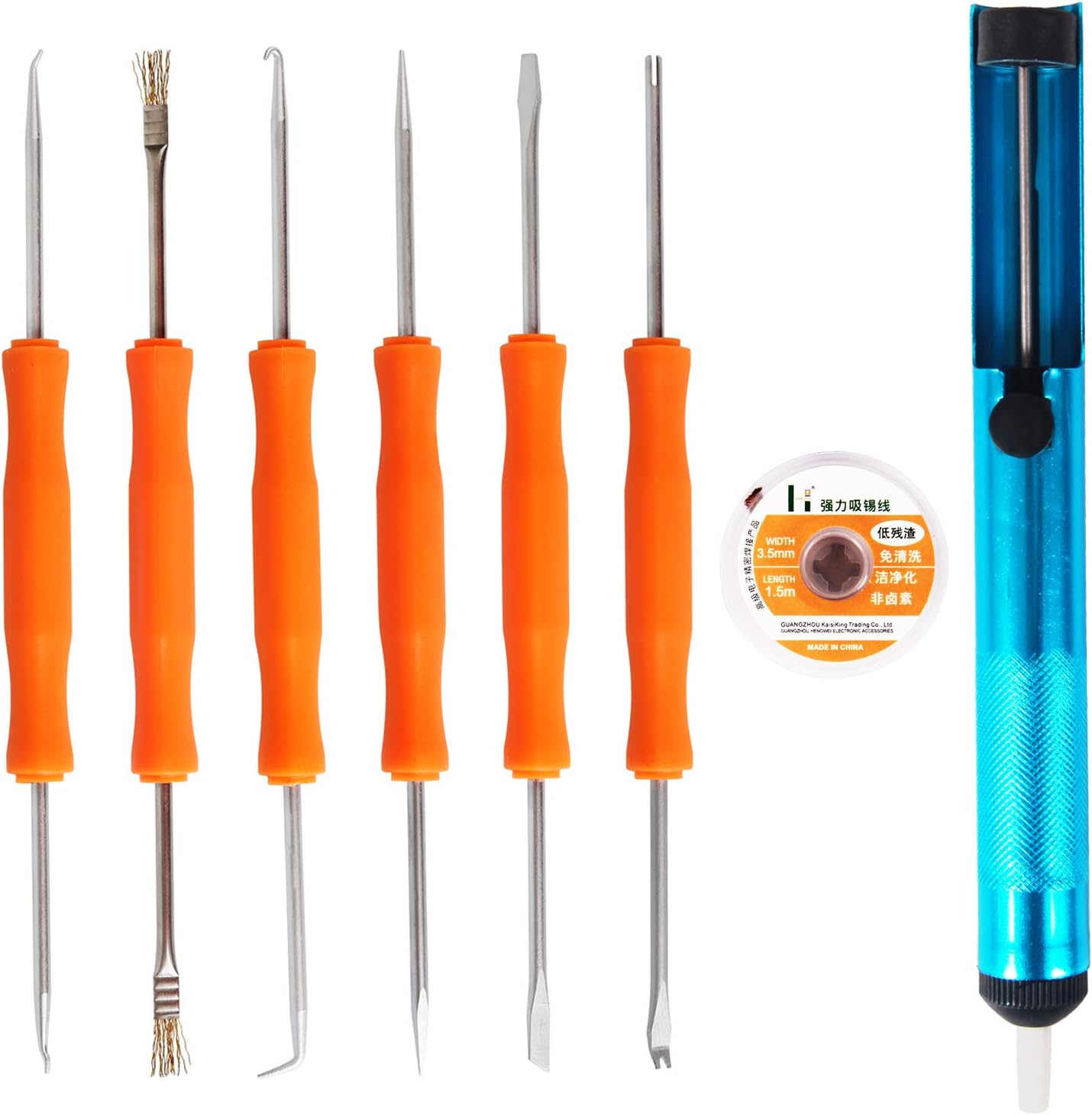
Desoldering Pump Kaisi Professional Solder Auxiliary Tool 6 piece double-sided repair tool with Desoldering Wick & Desoldering Pump
Craft Knife Precision Craft Knife Set 52pcs Professional Razor Sharp Knives for Art, Hobby

In the video I have trouble with the connections into the DSO-TC3, the connections are documented here: FNIRSI DSO-TC3.

Thanks very much for watching! And please remember to hit like and subscribe!


Following is a product I use picked at random from my collection which may appear in my videos. Clicking through on this to find and click on the green affiliate links before purchasing from eBay or AliExpress is a great way to support the channel at no cost to you. Thanks!

Yum Cha 52 in 1 Tiger WrenchThis is an image of the product.notes

Let’s go shopping!