In this video I learned about the Metcal PTTC-706 soldering iron tips. I must save my pennies so I can buy myself a pair of these babies!
1986 Sinclair Spectrum+2 repair
Reply

In this video I learned about the Metcal PTTC-706 soldering iron tips. I must save my pennies so I can buy myself a pair of these babies!
This post is part of my video blog and you can find more information about this video over here.
You can support this channel on Patreon: patreon.com/JohnElliotV
Silly Job Title: Wattage Warlock.
In this video we build the TJ-56-428 4-Digit Digital Clock just like we did last time.
You read that right. We made one of these before and I liked it so much that we are making one again! I get better at it this time round, I don’t make any of the mistakes I did last time.
In the introduction to this video I mention about my new Blu-ray player which I got so I could watch Colossus: The Forbin Project. Both my Blu-ray disc and my Blu-ray player are for Region B.
As I mention I have been writing for Hackaday! So that’s been keeping me busy.
The instructions for this clock are over here: TJ-56-428 4-Digit Digital DIY Clock (same as last time).
I mention about the new Learning the Art of Electronics project which we’re just about to get started with.
The microcontroller in this clock is the STC15W404AS. It comes in the kit pre-programmed and I’ve not been able to find the software anywhere. Bummer. If you know where to get the software please do let me know!
The temperature controlled resistor is a 10K NTC thermistor which seems to be used for the room temperature function (which I don’t use and didn’t calibrate).
The crystal oscillator is spec’ed as 32768 which is obviously a reference to the clock frequency. See Why do we use 32.768 kHz crystals in most circuits? We check the impedance of this device in the video using the Peak Atlas LCR45.
In the video I mention my mate Joe who helped me out last time I did this project. Thanks Joe!
We use the METCAL PS-900 Soldering Station to do our soldering.
We use the Fluke 17B+ Digital Multimeter to test the voltage on our USB power adapters.
We use the EEVblog BM2257 Digital Multimeter to check our resistors.
We use the Peak Electronic Design Atlas DCA75 Pro Semiconductor Analyzer to test the crystal (we don’t get a reading, which was expected).
We use the Peak Electronic Design Atlas LCR45 LCR Meter to test our crystal. It gives us an impedance reading at 200kHz with both real and imaginary components.
We use the Hakko CHP 3C-SA Precision Tweezers to hold our solder and poke about. At one point I drop a component lead offcut into the board and it shorted two resistors, so lucky I found it and pulled it out!
And that’s everything to know about this project!
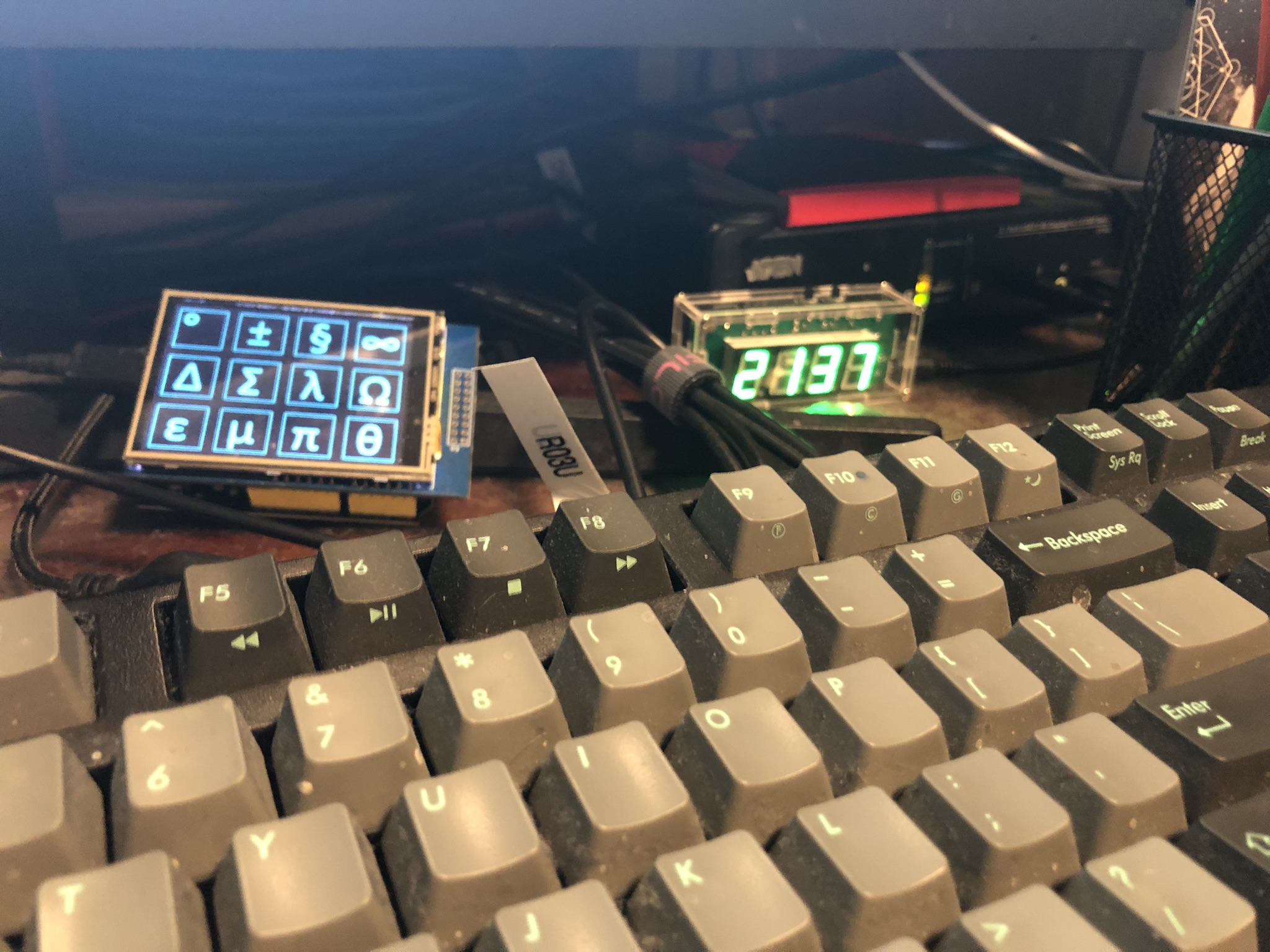
Here’s a photo of the completed project installed next to the symbol keyboard on my desk:
Thanks very much for watching! And please remember to hit like and subscribe! :)
Following is a product I use picked at random from my collection which may appear in my videos. Clicking through on this to find and click on the green affiliate links before purchasing from eBay or AliExpress is a great way to support the channel at no cost to you. Thanks!
Yum Cha DT830B Digital Multimeter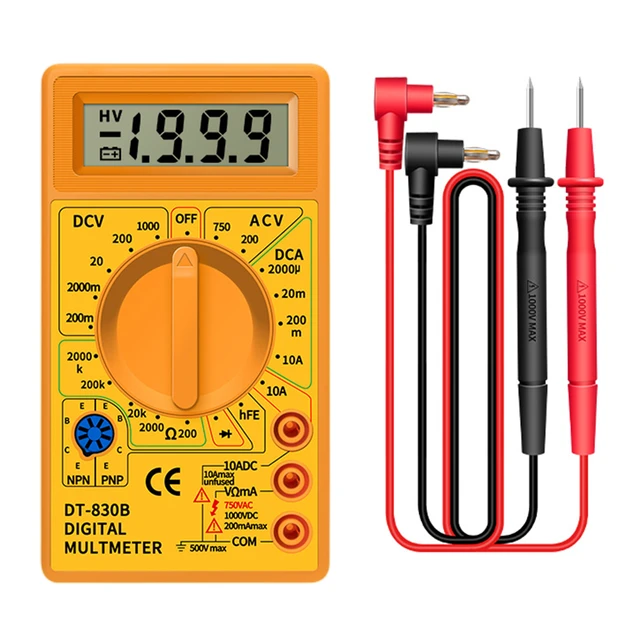 notes notes |
Let’s go shopping!
This post is part of my video blog and you can find more information about this video over here.
You can support this channel on Patreon: patreon.com/JohnElliotV
In this video we take a look at what has arrived in the mail from eBay, Peak Electronic Design, element14, AliExpress, and Amazon.
Thanks very much for watching! And please remember to hit like and subscribe! :)
Following is a product I use picked at random from my collection which may appear in my videos. Clicking through on this to find and click on the green affiliate links before purchasing from eBay or AliExpress is a great way to support the channel at no cost to you. Thanks!
Aussishop Calipers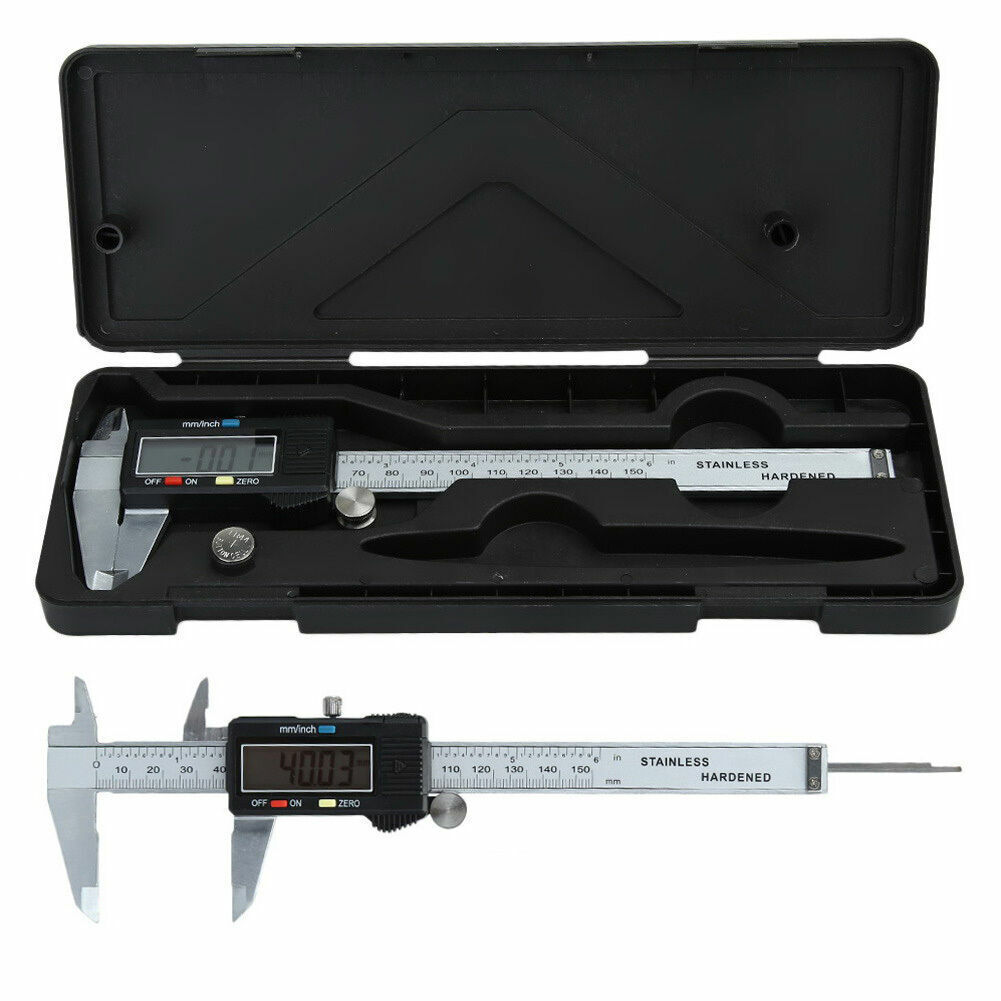 notes notes |
Let’s go shopping!
This post is part of my video blog and you can find more information about this video over here.
You can support this channel on Patreon: patreon.com/JohnElliotV
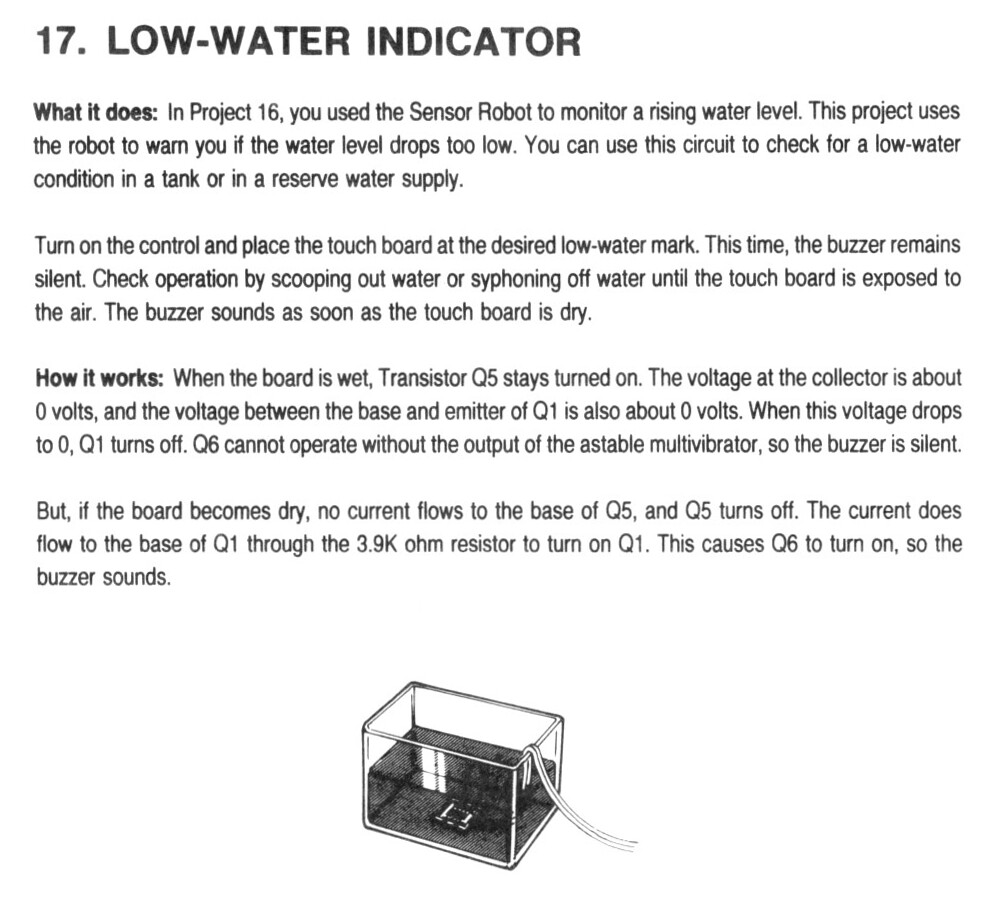
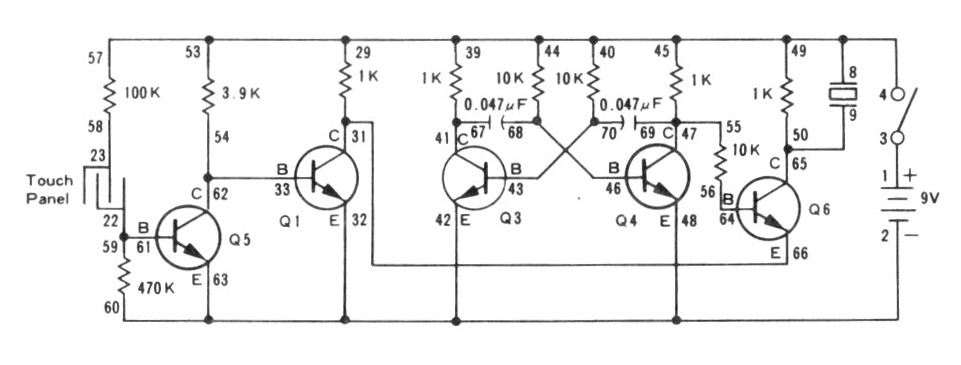
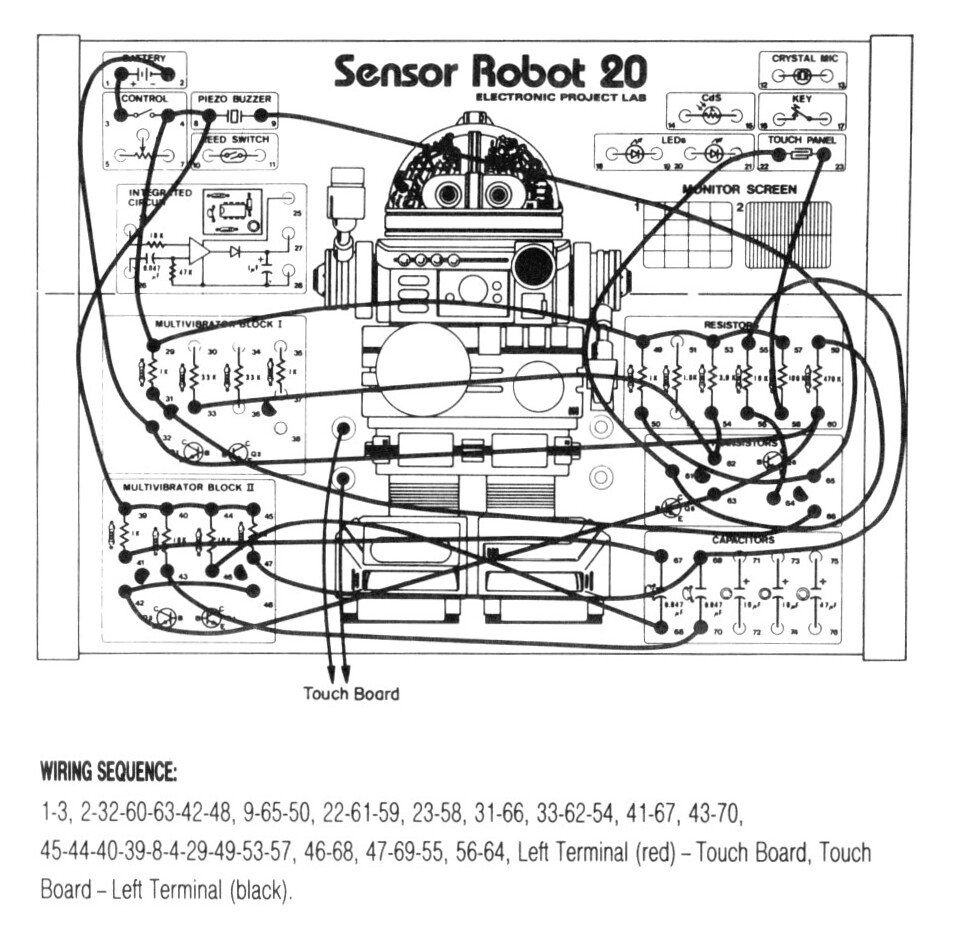
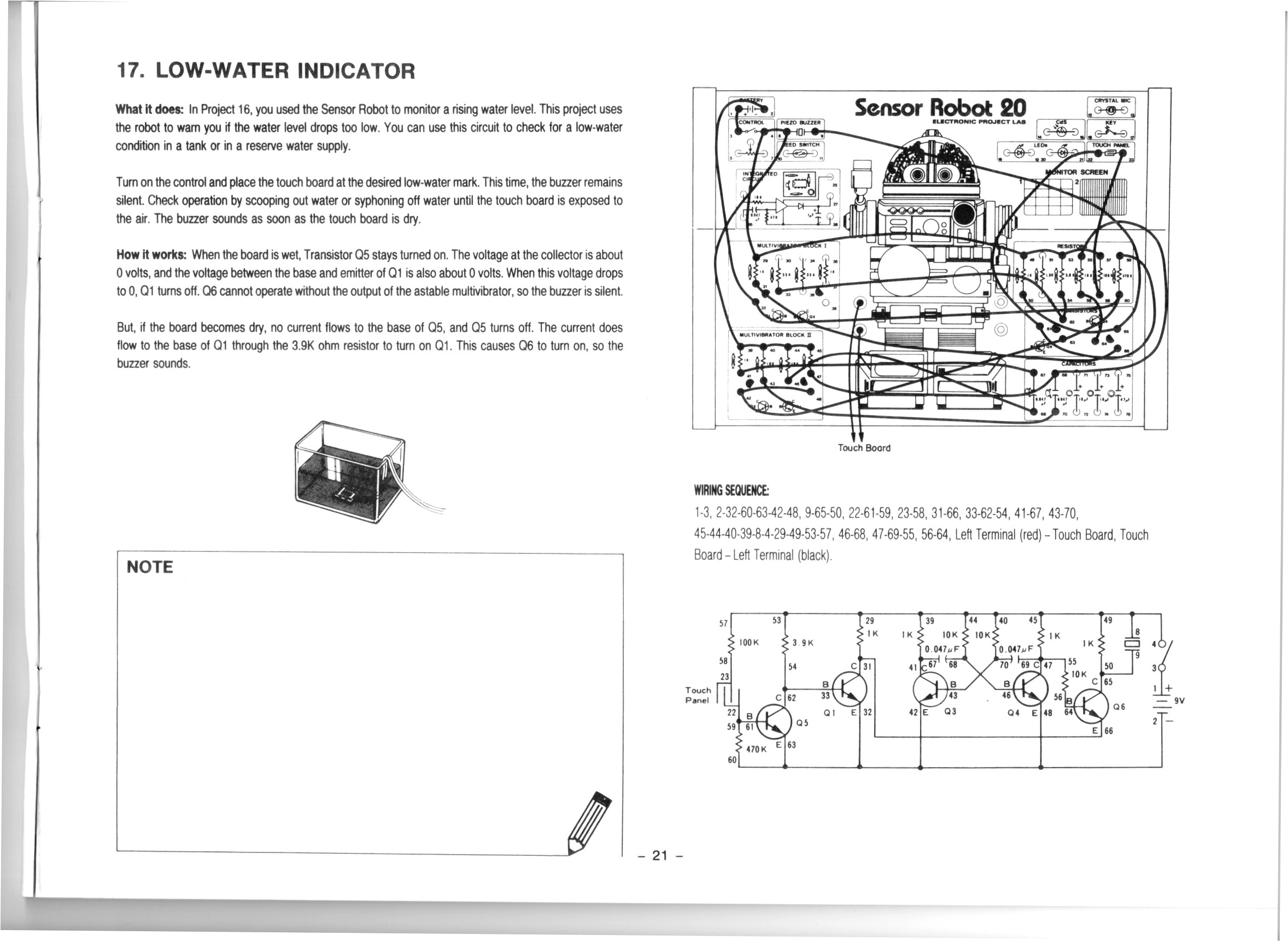
In this video we do the 17th project from the Maxitronix Sensor Robot 20 (20in1) Electronics Project Lab Kit: Low-Water Indicator.
We use the Rigol MSO5074 Mixed Signal Oscilloscope to see the output of the astable multivibrator. In the video I make a mistake and attach the probe to the wrong pins.
We use the METCAL PS-900 Soldering Station to solder the wires I use for the banana plugs I attach to the touch sensor an voice sensor (microphone).
We use the UNI-T UTi260B Thermal Imager to look at the heat profile of the circuit. We see that the low resistances (470Ω and 1KΩ) get the warmest, but the higher resistances (e.g. 10KΩ) are also slightly visible.
We use the Fluke 17B+ Digital Multimeter to check the resistance of the touch sensor.
We use the Peak Electronic Design Atlas LCR45 LCR Meter to measure the resistance of the resistor we use in the LED attachment circuit. This extra circuit allows us to switch out the buzzer for an LED, which makes a lot less racket. The resistor it uses turned out to be 470Ω.
We use the Riden RD6006 Bench Power Supply to provide 9V for our test circuit. Usually I take a current reading to see how much power the circuit draws in its various states, but I forgot!
We use the Horusdy Soldering Station with Hot Air Gun for its hot air gun in order to shrink the heat shrink which we added to the banana plug cables we attached to our sensors.
Thanks very much for watching! And please remember to hit like and subscribe! :)
Following is a product I use picked at random from my collection which may appear in my videos. Clicking through on this to find and click on the green affiliate links before purchasing from eBay or AliExpress is a great way to support the channel at no cost to you. Thanks!
Yum Cha 9-Inch Needle Nose Pliers notes notes |
Let’s go shopping!
This post is part of my video blog and you can find more information about this video over here.
You can support this channel on Patreon: patreon.com/JohnElliotV
In this video I receive the following equipment in the mail:
As I mentioned the open-source architecture books are available free online: The Architecture of Open Source Applications.
Thanks very much for watching! And please remember to hit like and subscribe! :)
Following is a product I use picked at random from my collection which may appear in my videos. Clicking through on this to find and click on the green affiliate links before purchasing from eBay or AliExpress is a great way to support the channel at no cost to you. Thanks!
| Aussishop Calipersnotes |
Let’s go shopping!
Update: my notes about my METCAL PS-900 soldering station are on my personal wiki, over here: METCAL PS-900 Soldering Station.
The other day I was doing some soldering with my Horusdy Soldering Station but I got the feeling its soldering iron was under performing. I just wasn’t getting good solder joints even though I was using good solder and plenty of flux.
So today I did some research and found myself a new soldering station: METCAL PS-900 Soldering Station. I found one for sale on element14 for AU$458.59 which as far as I can tell was a really good price. They were going for more like AU$700+ on Amazon, eBay, and even AliExpress.
I did also research and consider some other options from JBC, Metcal, Weller, and Hakko.
I also picked up a couple of spare tips:
The tip it came with was the METCAL SFV-CH10, 30° Chisel, 1.5 mm Soldering Iron Tip.
I am expecting that the 1 mm chisel tip is going to be my weapon of choice, so I got two of those. (Update: this was a mistake, the 1.5mm or 2mm option would have been a better choice.)
Conspicuously absent on this soldering station is a temperature setting. That’s because these METCAL irons come with SmartHeat technology, as ChatGPT explains. For the SFV-CH10 the Curie point is designed to maintain a nominal tip temperature of around 380 °C (715 °F) under typical load conditions.