This is too cool. A core dump then binary patch to work around memory hardware failure 15 BILLION MILES AWAY: How NASA Fixed a Software Bug 15 BILLION MILES AWAY | Voyager 1
Voyager bug fix
Reply

This is too cool. A core dump then binary patch to work around memory hardware failure 15 BILLION MILES AWAY: How NASA Fixed a Software Bug 15 BILLION MILES AWAY | Voyager 1
Here’s an interesting video about integrating a display with your microcontroller: The BASICS of Adding a Display to Your Arduino, ESP32, STM32, or other MCU Project. The graphics library he recommends is LVGL.
Man, I just spent quite a bit of time diagnosing this particular issue.
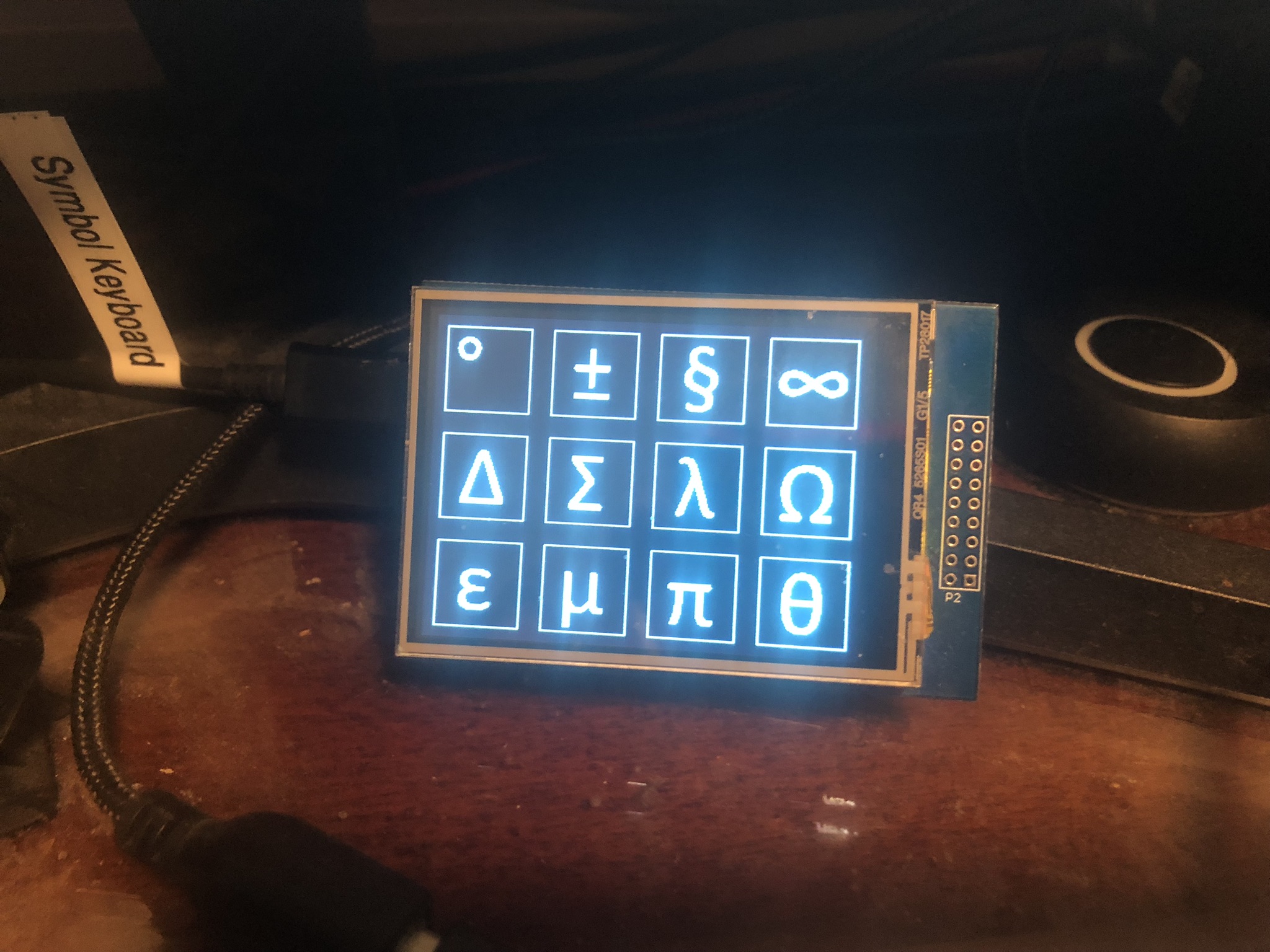
The problem was that my Symbol Keyboard stopped working. This is a USB keyboard I made from an Arduino Leonardo. The touch screen was working okay, but the keypresses weren’t being delivered over USB.
Long story short, the 7-port USB 3.0 hub attached to my workstation needed rebooting! I disconnected the power supply and disconnected the upstream USB cable to remove both sources of power, then when I reconnected everything my stuff started working again, including my symbol keyboard.
Lesson learned: if you’re debugging a USB device failure try plugging the device directly into the host to avoid any potential issues caused by your hub(s).
It was lucky I had a spare 104-key USB keyboard in the cupboard because I needed one while diagnosing this issue (the Windows box I was using only has a tenkeyless 87-key keyboard plugged into it but the Windows alt-key codes require use of the number pad).
The latest incarnation of my symbol keyboard looks like this:
This post is part of my video blog and you can find more information about this video over here.
You can support this channel on Patreon: patreon.com/JohnElliotV
In this video we conclude our Maxitronix 20in1.
The videos we made for this feature of the show:
Thanks very much for watching! And please remember to hit like and subscribe! :)
Following is a product I use picked at random from my collection which may appear in my videos. Clicking through on this to find and click on the green affiliate links before purchasing from eBay or AliExpress is a great way to support the channel at no cost to you. Thanks!
Yum Cha Double-ended Cotton Swabs |
Let’s go shopping!
This turned up in my feed today: CSS library based on Counter Strike 1.6 UI. I was particularly interested in how they implemented the tab panels.
This post is part of my video blog and you can find more information about this video over here.
You can support this channel on Patreon: patreon.com/JohnElliotV
In this video we take a look at what has arrived in the mail from AliExpress, eBay, and Amazon.
See here for more info about the Great Scott Gadgets:
In this video I mention my mate @learningasahobby790 who makes interesting videos about mathematics and philosophy, check him out.
Thanks very much for watching! And please remember to hit like and subscribe! :)
Following is a product I use picked at random from my collection which may appear in my videos. Clicking through on this to find and click on the green affiliate links before purchasing from eBay or AliExpress is a great way to support the channel at no cost to you. Thanks!
Yum Cha 11 in 1 USB-C Hub USB Hub |
Let’s go shopping!
This post is part of my video blog and you can find more information about this video over here.
You can support this channel on Patreon: patreon.com/JohnElliotV
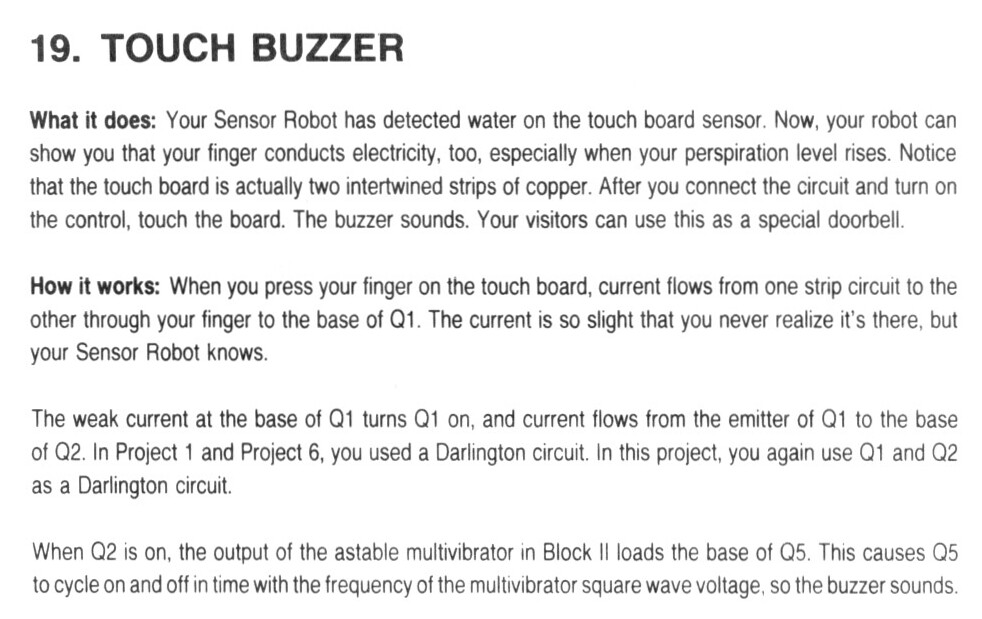
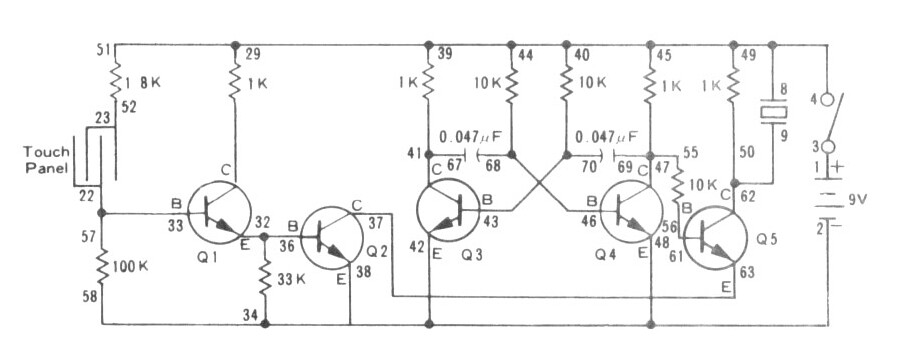
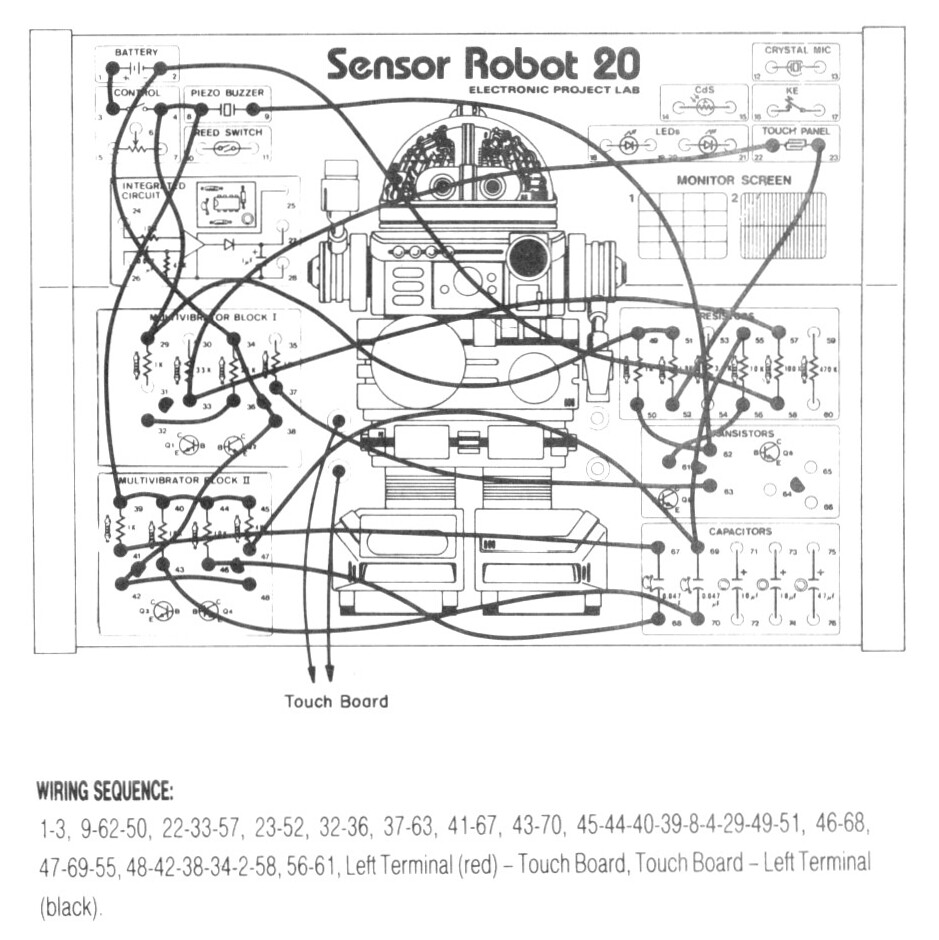
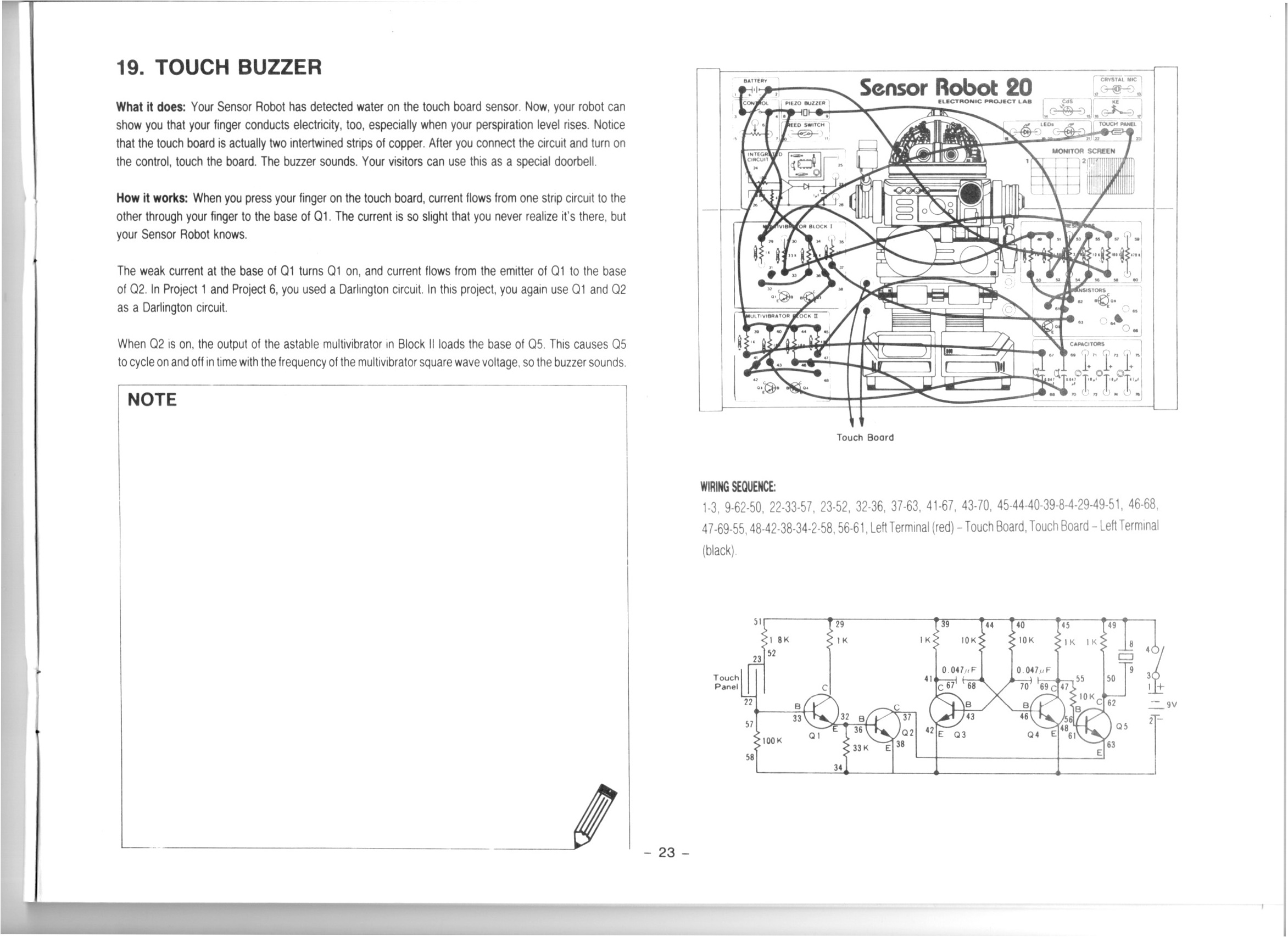
In this video we do the 19th project from the Maxitronix Sensor Robot 20 (20in1) Electronics Project Lab Kit: Touch Buzzer.
This circuit uses a Darlington pair to amplify the very weak signal from the touch sensor.
We use the Rigol MSO5074 Mixed Signal Oscilloscope to look at the square wave from the astable multivibrator.
We use the UNI-T UTi260B Thermal Imager to examine the thermal characteristics of the circuit, particularly the 1K resistors getting warm.
We use the Riden RD6006 Bench Power Supply to provide 9V for our circuit and also to measure the current drawn by the circuit in its inactive (11mA) and active (12mA) states.
Thanks very much for watching! And please remember to hit like and subscribe! :)
Following is a product I use picked at random from my collection which may appear in my videos. Clicking through on this to find and click on the green affiliate links before purchasing from eBay or AliExpress is a great way to support the channel at no cost to you. Thanks!
Maxitronix 500in1 Electronics Project Lab Kit notes notes |
Let’s go shopping!
This post is part of my video blog and you can find more information about this video over here.
You can support this channel on Patreon: patreon.com/JohnElliotV
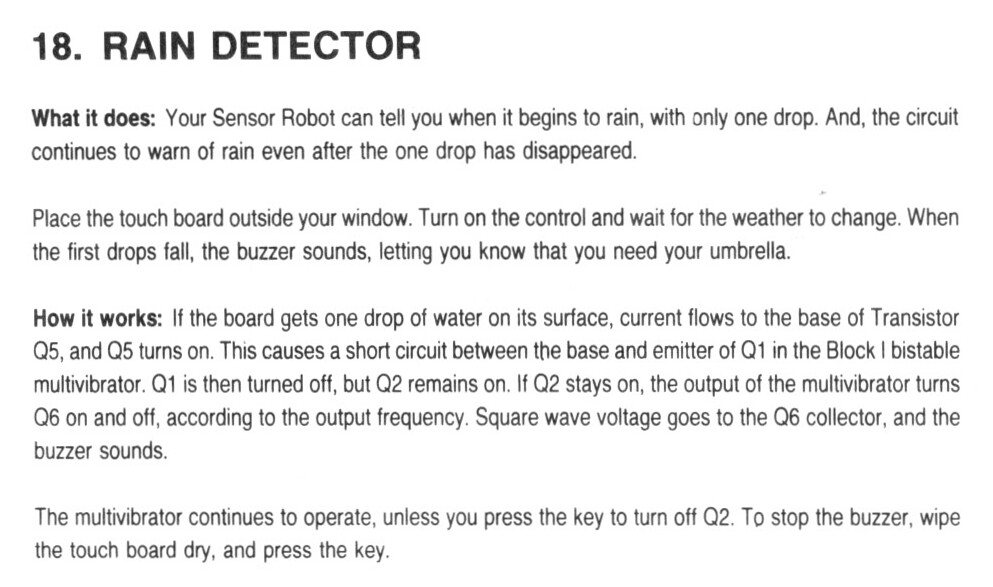
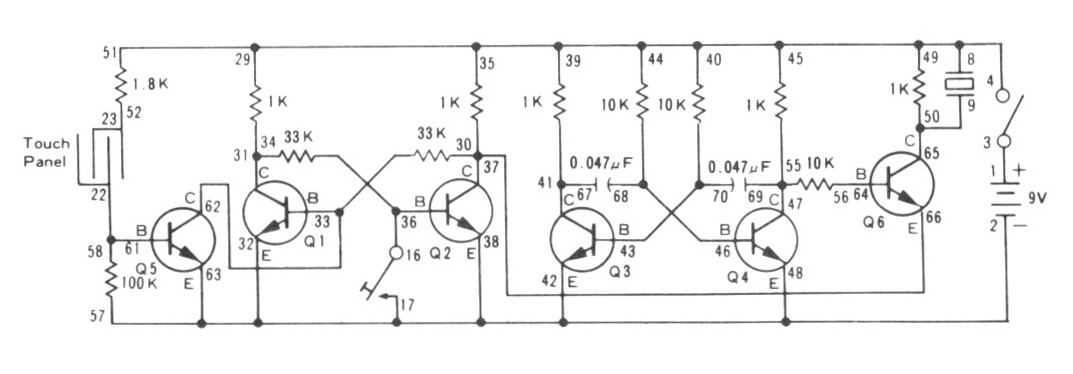
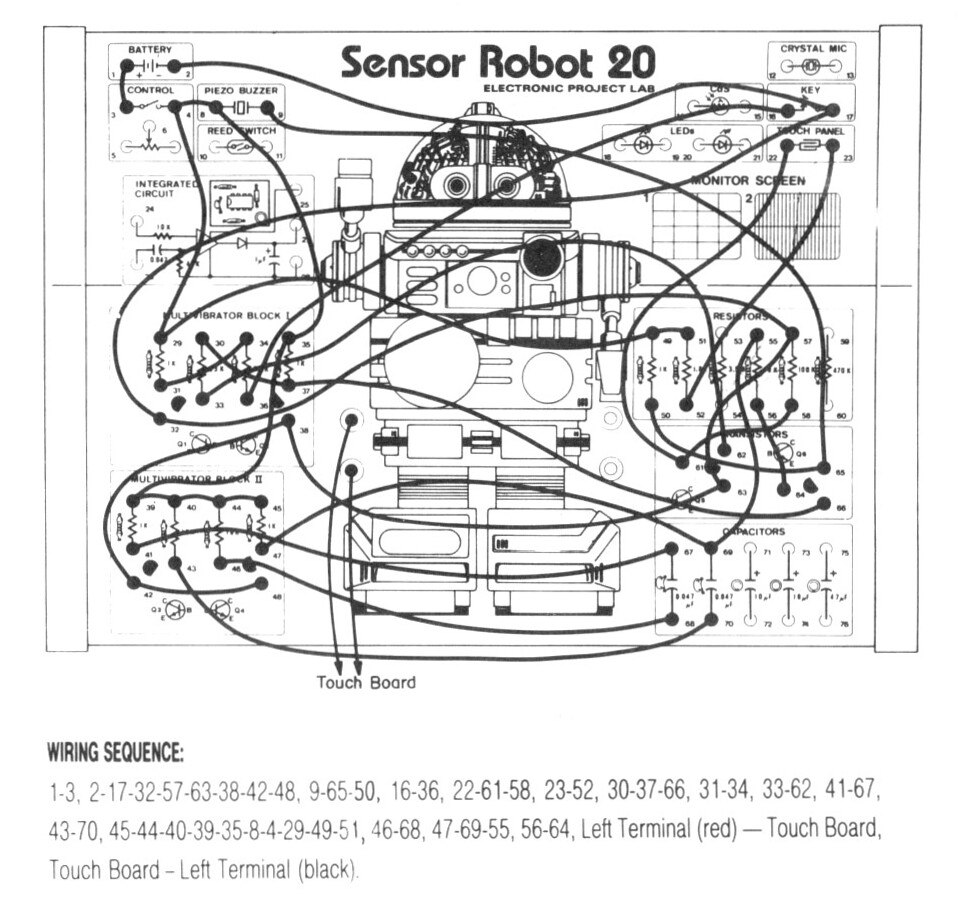
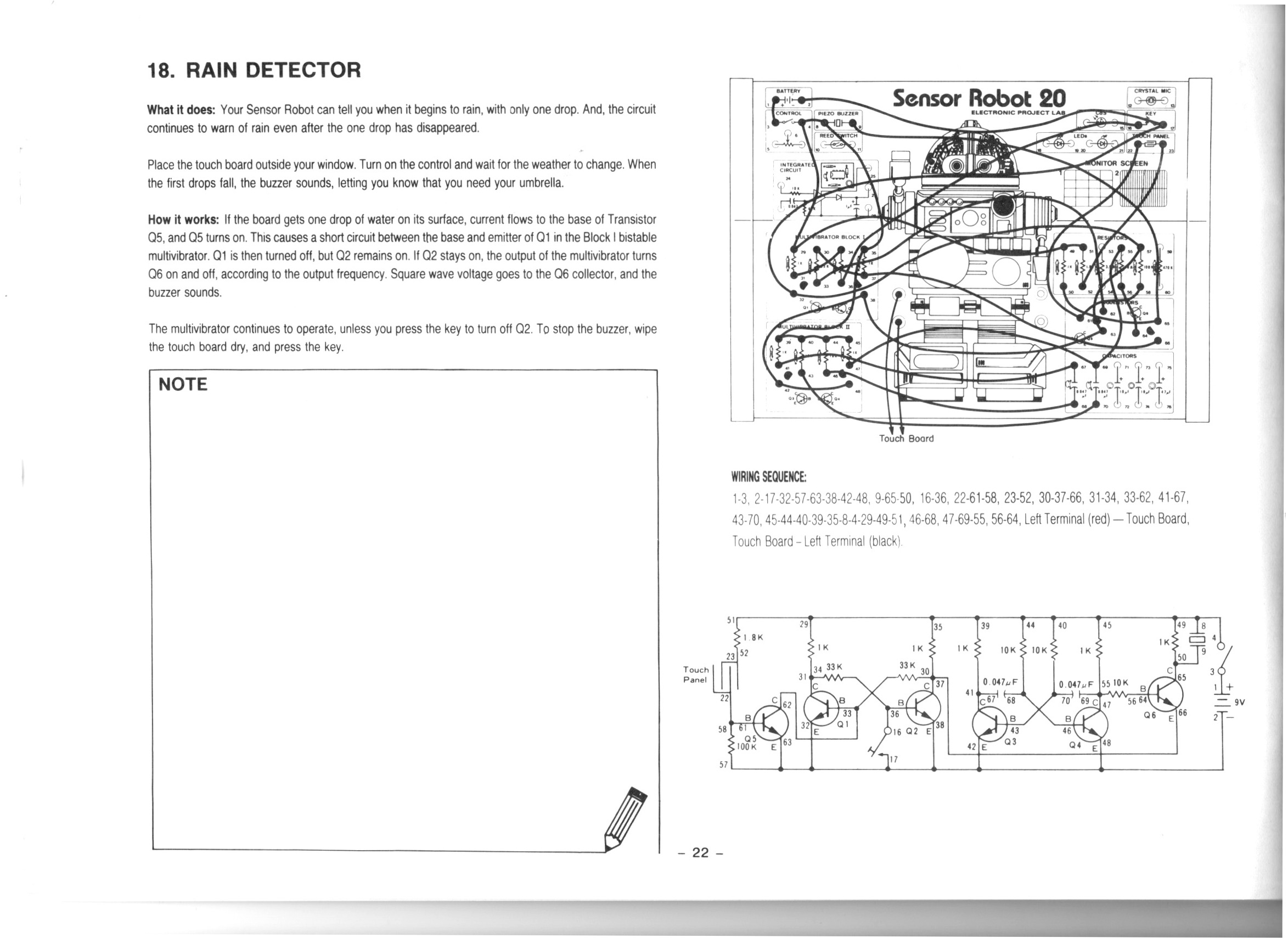
In this video we do the 18th project from the Maxitronix Sensor Robot 20 (20in1) Electronics Project Lab Kit: Rain Detector.
We use the Rigol MSO5074 Mixed Signal Oscilloscope to see the 1.6 kHz square wave from our astable multivibrator.
We use the UNI-T UTi260B Thermal Imager to watch the thermal effects of the circuit. We see both the 1K resistors in the astable multivibrator get warm, but only the activated side of the bistable multivibrator gets warm.
We use the Fluke 17B+ Digital Multimeter to buzz out the circuit looking for mistakes.
We use the Riden RD6006 Bench Power Supply to provide 9V for our circuit. I make a mistake and connect it the wrong way around to begin with!
Thanks very much for watching! And please remember to hit like and subscribe! :)
Following is a product I use picked at random from my collection which may appear in my videos. Clicking through on this to find and click on the green affiliate links before purchasing from eBay or AliExpress is a great way to support the channel at no cost to you. Thanks!
TOOKKS HZY ABS Wire Fixture notes notes |
Let’s go shopping!
This turned up on hacker news today: JTAG ‘Hacking’ the Original Xbox in 2023 – Using Intel CPU JTAG to dump the secret bootrom in Microsoft’s original Xbox. There’s some info being collected on github: github.com/Necrosys/x86-JTAG-Information.